H
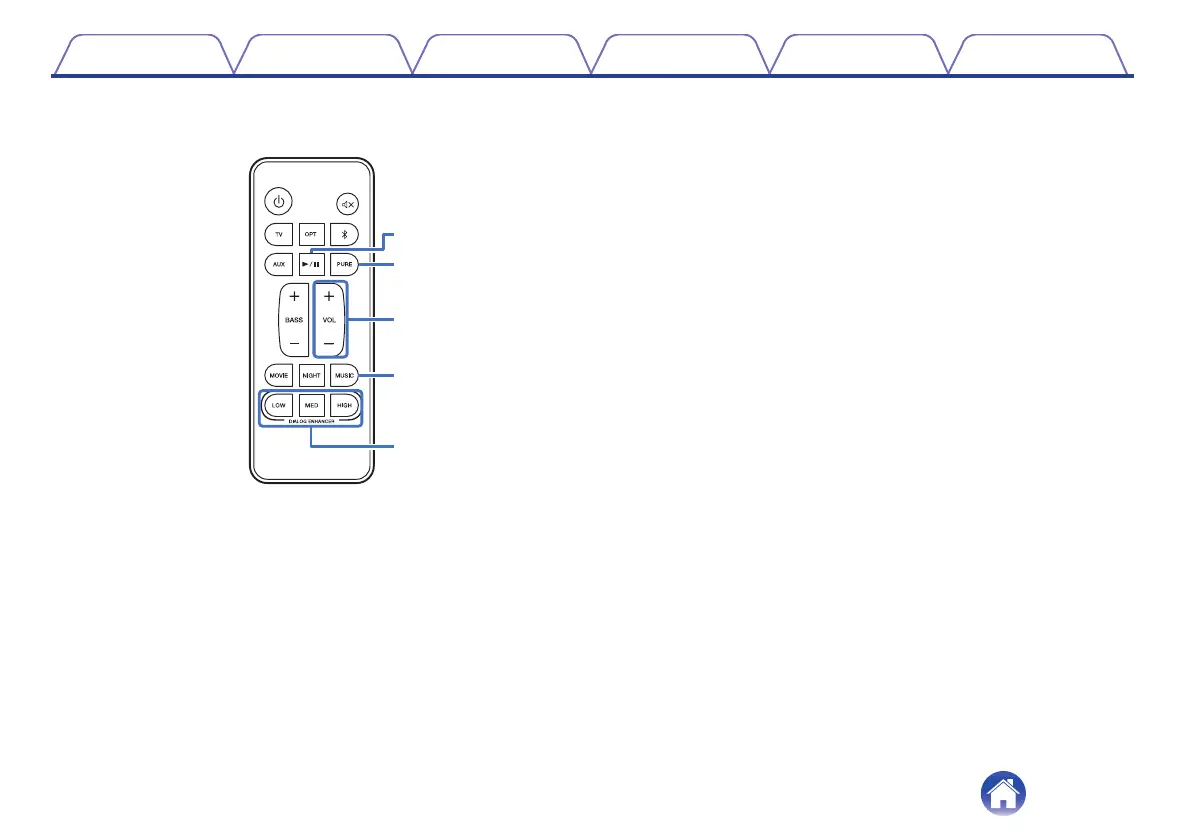
Play/pause button (1/3)
This button is only available when the input source is Bluetooth or
Chromecast.
I
Pure mode button (PURE)
Enjoy high quality sound that is faithful to the original source.
(v p. 27)
J
Volume buttons (VOL +, –)
These adjusts the volume level. (v p. 26)
K
Music mode button (MUSIC)
Enjoy the full presence of a wide, encompassing acoustic field.
(v p. 27)
L
Dialog enhancer buttons
(DIALOG ENHANCER LOW, MED, HIGH)
Adjust the volume of dialog in movies, vocals in music, etc. so these
can be heard more easily. (v p. 27)
Can be set to 3 levels. Set this to the desired value.
Contents
Connections Playback Settings Tips Appendix
12



 To Next Page