EasyManua.ls Logo

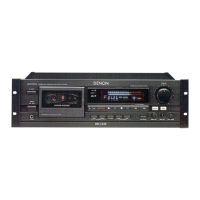
Denon DN-770R - User Manual

Denon DN-770R
16 pages
Print Icon
To Next Page IconTo Next Page
Loading...
STEREO CASSETTE TAPE DECK
DN-770R
OPERATING INSTRUCTIONS

Questions and Answers

  • H
    hannah31Jul 30, 2025
    Why is the sound warbled and distorted on my Denon Tape Deck?
    • M
      Mrs. Misty Parker MDJul 30, 2025
      Warbled and distorted sound from your Denon Tape Deck may be due to several reasons. The heads, capstan, or pinch roller might be dirty, requiring cleaning. Alternatively, the tape could be wound too tight; try fast-forwarding or rewinding it to loosen the winding. Also, check if the recording input level is too high and adjust it accordingly. Finally, the tape itself might be worn out and have drop-outs, in which case you should replace it.
  • W
    William MartinezAug 3, 2025
    What to do if my Denon Tape Deck has excessive noise?
    • D
      Donald PerezAug 4, 2025
      Excessive noise in your Denon Tape Deck could stem from a few issues. First, the tape might be worn, so consider replacing it. Second, the heads, capstan, or pinch roller could be dirty and require cleaning. Another possibility is that the heads are magnetized, and you'll need to demagnetize them. Lastly, the recording input level might be too low; adjust it to see if that resolves the problem.
  • J
    Jacob StarkAug 7, 2025
    What to do if the Denon Tape Deck tape does not run?
    • A
      Alexandria BakerAug 8, 2025
      If the tape in your Denon Tape Deck isn't running, there are a few things to check: * Ensure the power cord is properly connected. * If the tape is loose, tighten it using a pencil or similar object. * Make sure the cassette is loaded correctly. * The cassette itself may be defective, requiring a replacement.
  • R
    Richard JonesAug 12, 2025
    Why is the high frequency range (treble) emphasized on my Denon Tape Deck?
    • T
      Tony PorterAug 12, 2025
      If the high frequency range (treble) is emphasized on your Denon Tape Deck, the Dolby NR switch may be set improperly. Ensure that the Dolby NR Switch is set correctly.
  • J
    Jeffrey BlairAug 16, 2025
    What to do if the Denon Tape Deck tape is not recording when REC/REC MUTE button is pressed?
    • M
      Michelle ReynoldsAug 16, 2025
      If your Denon Tape Deck isn't recording when you press the REC/REC MUTE button, first, make sure a cassette is loaded. If a cassette is loaded, check the erase prevention tabs. If they are broken off, cover the holes with adhesive tape.
  • J
    jonesjosephAug 20, 2025
    How to fix lost high frequency range (treble) on Denon Tape Deck?
    • C
      Christina GonzalezAug 20, 2025
      A loss of high frequency range (treble) on your Denon Tape Deck can occur if the heads are dirty; clean them. Alternatively, the tape may be worn and need replacement.
  • M
    meaganreevesAug 25, 2025
    What to do if the cassette tape cannot be removed from my Denon Tape Deck?
    • E
      Elizabeth EdwardsAug 26, 2025
      If you cannot remove the cassette tape from your Denon Tape Deck, especially after stopping during recording or playback, turn the power switch back ON. Then, press the STOP button, and finally, press the EJECT button to remove the cassette tape.

Summary

Safety Instructions

Electrical Safety and Grounding

Connect to correct power sources, protect cords, and ensure proper grounding.

Front Panel Controls Overview

Recording and Playback Settings

Details Dolby NR, tape speed controls, dubbing speed, and headphone jack usage.

Automatic Tape Selection and Playback

Performing Tape Playback

Step-by-step guide for playing tapes, including Dolby NR and direction settings.

Recording Procedures

Basic Recording Steps

Step-by-step guide for recording, including Dolby NR selection and direction settings.

Setting Optimal Recording Levels

Guidelines for adjusting input levels to achieve optimal recording quality and avoid distortion.

Advanced Recording Modes

Twin Recording Process

Simultaneous recording onto two tapes from the same source.

Tape Dubbing Operations

Dubbing Setup and Speed Selection

Instructions for setting up dubbing, including reverse modes and selecting speed.

Performing Normal and High-Speed Dubbing

Explains how to perform normal and high-speed dubbing between decks.

Noise Reduction Systems

Dolby HX-PRO Headroom Extension

Explains the HX-PRO system for improving treble range saturation during recording.

Maintenance Procedures

Cleaning Tape Heads

Instructions for cleaning the playback/record and erase heads using a cotton swab.

Head Demagnetization Process

Process for demagnetizing heads to prevent noise and treble loss.

Troubleshooting Guide

Tape Transport and Sound Issues

Solutions for problems like tape not running, distorted sound, or excessive noise.

Recording and Removal Problems

Remedies for recording failures, loss of high frequencies, and tape removal issues.

Technical Specifications

Denon DN-770R Specifications

General IconGeneral
Track System4-track, 2-channel stereo
Tape Speed4.76 cm/s
MotorDC Servo Motor
Tape TypeNormal, CrO2, Metal
Noise ReductionDolby B
Frequency Response20Hz to 17kHz (Metal tape)
InputLine
OutputLine

Related product manuals