EasyManua.ls Logo

Denon DN-A7100 - User Manual

Denon DN-A7100
52 pages
Print Icon
To Next Page IconTo Next Page
Loading...
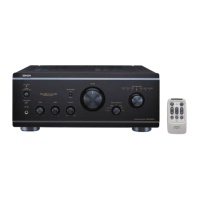
AV SURROUND PREAMPLIFIER
DN-A7100
USER GUIDE
GUÍA DEL USUARIO
MODE D’EMPLOI
GUIA DO UTILIZADOR

Table of Contents

Other manuals for Denon DN-A7100

Questions and Answers

  • C
    cheryl01Sep 1, 2025
    What does it mean when “ANTENNA” is displayed on my Denon Amplifier?
    • J
      jasoncoxSep 1, 2025
      If the “ANTENNA” is displayed on your Denon Amplifier, the XM terminal and the XM Connect-and-Play antenna might not be properly connected. Check to ensure the connections are correct.
  • J
    Jeffrey FergusonSep 13, 2025
    What to do if there is incorrect Audio or Video for selected source on Denon DN-A7100 Amplifier?
    • R
      rogerlarsonSep 13, 2025
      If you are experiencing incorrect Audio or Video for the selected source, the input cable may be connected incorrectly. Refer to the connection diagram and connect the cable correctly.
  • M
    Mrs. Melissa MilesAug 31, 2025
    Why is there no audio output from the surround back speakers on my Denon DN-A7100?
    • E
      ericahallAug 31, 2025
      If you're not getting any audio output from the surround back speakers on your Denon Amplifier, the surround back speaker cable connection might be incomplete. Ensure the cable is correctly connected.
  • P
    Patrick PhillipsSep 16, 2025
    What to do if a specific channel does not produce output on my Denon Amplifier?
    • E
      Eric WilliamsSep 16, 2025
      If a specific channel does not produce output: * Check the encoded channel on the source to ensure there is content recorded. * Ensure the input cable is connected correctly by referring to the connection diagram.
  • M
    Mary NortonSep 15, 2025
    How to fix incorrect audio from a channel on Denon DN-A7100?
    • B
      Brenda CastroSep 15, 2025
      If you are getting incorrect audio from a channel, the speaker cable may be connected incorrectly. Refer to the connection diagram and connect the cable correctly.
  • M
    Michael WellsSep 23, 2025
    What to do if the distance between my DN-A7100 Denon Amplifier and the remote commander is too far?
    • R
      Ronald LindseySep 23, 2025
      Move closer to this DN-A7100.
  • M
    Matthew WalkerAug 27, 2025
    Why is FM or AM reception failing on my Denon DN-A7100?
    • K
      Kelly VasquezAug 28, 2025
      If FM or AM reception fails on your Denon Amplifier, the antenna connection may be incomplete. Ensure the indoor FM and AM antennas are correctly connected to the FM and AM antenna outlets.
  • G
    Gary DixonAug 27, 2025
    Why is there no output to the subwoofer from my Denon DN-A7100?
    • C
      Cynthia MccarthyAug 27, 2025
      If you're not getting any output to the subwoofer from your Denon Amplifier, check if “Sub-woofer = NONE” has been selected in the SETUP mode. If so, select “Sub-woofer = YES”.
  • G
    Gabrielle HayesAug 26, 2025
    What causes incorrect audio or video for the selected source on a Denon DN-A7100?
    • A
      Adam ThompsonAug 26, 2025
      If you're experiencing incorrect audio or video for the selected source on your Denon Amplifier, the input cable might be connected incorrectly. Refer to the connection diagram and connect the cable correctly.
  • V
    Victoria AlvaradoAug 25, 2025
    How to fix a Denon DN-A7100 Amplifier remote control that is not working?
    • P
      Patricia AndersonAug 26, 2025
      If the remote control isn't working with your Denon Amplifier, the batteries might be dead. Replace all the batteries with new ones.

Summary

Important Safety Instructions

General Safety Precautions

Read all safety and operating instructions before use and retain for reference.

Product Overview

Introduction and Product Description

Welcome message, overview of the product, and description of audio technologies.

Features and Accessories

Highlights key features like HDCD, HDMI, and lists included accessories.

Hardware Operation

Front Panel Controls and Display

Detailed explanation of front panel buttons, knobs, indicators, and the FL display.

Rear Panel Connections

Identifies and explains all input and output terminals on the rear panel.

Remote Control Operation

Covers remote control functions, buttons, battery loading, and setup.

Connections and Setup

Speaker Setup and Placement

Guides on ideal speaker placement, height, and initial setup configuration.

Component and Antenna Connections

Instructions for connecting audio, video, digital components, and antennas.

Initial Setup Menu and Configuration

Guides users through the on-screen menu system for configuring settings.

Input, Speaker, and Preference Settings

Step-by-step setup for assigning inputs, configuring speakers, and setting preferences.

Basic Operation

Selecting Input Sources and Surround Modes

How to choose input sources and select various surround sound modes.

Volume, Tone, Timer, and Night Mode Controls

Adjusting audio levels, tone, using sleep timer, and night mode.

Recording, EQ, and 7.1 Channel Input

Procedures for recording, using HT-EQ, and managing 7.1 channel inputs.

Tuner and XM Radio Operation

Instructions for listening to FM/AM radio and XM satellite radio, including tuning and presets.

Advanced Functions and Support

HDMI Interface and Other Functions

Operating HDMI, other functions like TV Auto, and display modes.

Troubleshooting Guide

Solutions for common problems and symptoms encountered during operation.

RS-232 C Control and Specifications

Technical details for controlling the unit via RS-232C communication.

Technical Specifications and Dimensions

Detailed technical data including frequency ranges, sensitivity, and physical dimensions.

Denon DN-A7100 Specifications

General IconGeneral
Total Harmonic Distortion (THD)0.08%
Input Sensitivity200mV
Signal-to-Noise Ratio100dB
Output ConnectorsHDMI, Component, Composite, S-Video, Analog Audio, Speaker Binding Posts
CoolingFan
ProtectionYes
Power SupplyAC 50/60Hz

Related product manuals