EasyManua.ls Logo

Denon DRA-700AE - User Manual

Denon DRA-700AE
30 pages
Print Icon
To Next Page IconTo Next Page
Loading...
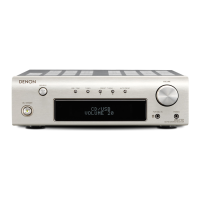
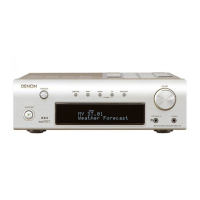
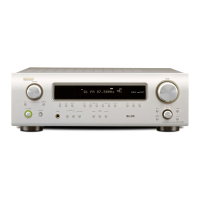
AM-FM STEREO RECEIVER
DRA-700AE/700AEDAB
OPERATING INSTRUCTIONS
BEDIENUNGSANLEITUNG
MODE D’EMPLOI
ISTRUZIONI PER L’USO
INSTRUCCIONES DE FUNCIONAMIENTO
GEBRUIKSAANWIJZING
BRUKSANVISNING

Table of Contents

Other manuals for Denon DRA-700AE

Questions and Answers

  • A
    Anthony ParkerAug 14, 2025
    Why is the display not lit and sound not produced on my Denon DRA-700AE?
    • M
      Megan GarciaAug 15, 2025
      If your Denon Stereo Receiver's display is unlit but sound is still not produced when the power switch is on, the power supply cord might not be securely plugged in. Ensure that the power supply cord plug is properly inserted.
  • L
    Lauren MillerAug 18, 2025
    Why is there no sound coming from my Denon DRA-700AE even though the display is lit?
    • D
      Douglas TerryAug 18, 2025
      If your Denon Stereo Receiver's display is lit, but no sound is produced, several factors could be at play. Ensure that the speaker cables are securely connected. Check that the FUNCTION knob is in the appropriate position. Verify that the volume control is not set to minimum and turn it up to a suitable level. Also, make sure that MUTING is switched off.
  • C
    cohenjeremyAug 21, 2025
    What to do if no sound is produced from the subwoofer connected to my Denon DRA-700AE Stereo Receiver?
    • D
      devon03Aug 21, 2025
      If no sound is produced from the subwoofer connected to your Denon Stereo Receiver, check the following: First, ensure that the subwoofer’s power is turned on. Next, verify that the subwoofer’s output is properly connected. Finally, confirm that the subwoofer’s channel volume level is not set to “–12 dB” and turn it up if necessary.
  • M
    Melissa MitchellAug 25, 2025
    How to fix a Denon DRA-700AE when the remote control doesn't work?
    • E
      Ellen PearsonAug 26, 2025
      If your Denon Stereo Receiver remote control isn't working, several factors could be the cause. First, the batteries might be dead, so try replacing them with new ones. Also, make sure you're not too far from the unit; move closer. Check for any obstacles blocking the signal between the remote and the receiver and remove them. Ensure you're pressing the correct button. Finally, verify that the batteries are inserted correctly, with the < and > ends in the proper orientation.
  • J
    Jerry MeyerAug 28, 2025
    What to do if my Denon DRA-700AE Stereo Receiver power has turned off and the power indicator is blinking red?
    • C
      Christopher MejiaAug 28, 2025
      If your Denon Stereo Receiver's power has turned off and the power indicator is blinking red, it could be due to a few reasons. The set’s internal temperature may have risen, activating the protection circuit; ensure the DRA-700AE/700AEDAB is in a well-ventilated area. Another cause could be that the core wires of the speaker cables are touching each other or the DRA- 700AE/700AEDAB’s rear panel, which also activates the protection circuit; check all speaker cable connections. If neither of these resolves the issue, the DRA-700AE/700AEDAB might be malfunctioning.
  • M
    Melvin WilliamsAug 31, 2025
    What does it mean when my Denon DRA-700AE display says “Station not Available”?
    • R
      Ryan GonzalezAug 31, 2025
      If your Denon Stereo Receiver displays “Station not Available”, ensure that DAB coverage exists in your area and check that the antenna is connected properly.
  • S
    Shelley PenaSep 3, 2025
    Why is nothing displayed on the monitor when using my Denon DRA-700AE Stereo Receiver?
    • K
      Kenneth PerezSep 3, 2025
      If you are not getting any display on your monitor when using the Denon Stereo Receiver, ensure that the DRA-700AE/700AEDAB’s video output terminals and the monitor’s input terminals are correctly connected. Also, verify that the monitor’s input setting is set to the terminals to which the video signals are connected.
  • R
    raymond43Sep 7, 2025
    Why can't I access secondary services on my Denon DRA-700AE?
    • A
      Aaron JacksonSep 7, 2025
      If you cannot access secondary services on your Denon Stereo Receiver, note that at the time this manual was published, not many secondary services were available. This will increase as more DAB stations start broadcasting. If a secondary service station is available, the secondary indicator “>>” will be displayed next to the station name.
  • T
    Timothy AndersonSep 12, 2025
    Why do I hear a burbling sound on some stations with my Denon DRA-700AE Stereo Receiver?
    • D
      Deborah GordonSep 12, 2025
      If you hear a burbling sound on some stations with your Denon Stereo Receiver, DAB, like other digital media, is good at producing quality audio from a low-level signal. However, if this signal level is too low, a “burbling” sound can sometimes be heard. To reduce this, try repositioning your antenna to gain maximum signal strength; this feature is alternatively available to the DRA-700AEDAB.

Summary

Safety Precautions

Risk of Electric Shock

Warning about not opening the unit to avoid electric shock.

Fire and Moisture Warning

Warning to avoid exposing the appliance to rain or moisture to prevent fire or shock.

General Usage Notes

Advice on operating the unit safely and properly, including temperature and cord handling.

Declaration of Conformity

Statement of compliance with EU directives and standards.

Recycling and Mains Safety

Recycling and Disposal Guidelines

Guidelines for recycling packaging and disposing of the unit and batteries.

Mains Disconnection Safety

Crucial instruction to disconnect the power plug for complete power interruption.

Getting Started

Initial Setup and Precautions

Important checks and precautions before initial operation and setup.

Installation Guidelines

Guidelines for safe and proper installation, focusing on ventilation.

Remote Control Unit Details

Information about the remote control, including its function and battery installation.

Remote Control Operating Range

Specifies the effective distance and angle for remote control operation.

Unit Components and Display

Front Panel Controls and Indicators

Identification and explanation of controls and indicators on the front panel.

Display Indicator Explanations

Explanation of various indicators and their meaning on the unit's display.

Rear Panel and Remote Controls

Rear Panel Connections (DRA-700 AE)

Diagram and numbering of input/output terminals for the DRA-700AE model.

Rear Panel Connections (DRA-700 AEDAB)

Diagram and numbering of input/output terminals for the DRA-700AEDAB model.

System Remote Control (RC-1054) Functions

Identification of buttons and functions on the main remote control.

Connections Overview

ZONE Remote Control (RC-1056) Functions

Identification of buttons and functions on the ZONE remote control.

Connection Cable Types

Explains standard audio and video connection cables used for hookups.

Speaker and Component Connections

Connecting Speaker Cables and Impedance

Guide on connecting speakers, including impedance considerations and warnings.

Connecting a Subwoofer

Diagram showing how to connect a subwoofer to the unit.

Connecting DVD Player and Monitor

Diagram illustrating connections for a DVD player and monitor.

Audio;Video Component Hookups

Connecting TV;DBS Tuner

Diagram for connecting a TV or DBS tuner to the unit.

Connecting a CD Player

Diagram for connecting a CD player to the unit.

Connecting a Turntable

Diagram for connecting a turntable, including ground connection.

Antenna and Power Setup

Antenna Terminal Connections

Instructions for connecting AM/FM and DAB antennas.

AM Loop Antenna Assembly

Steps for assembling and installing the AM loop antenna.

DAB Antenna Connections

Details on connecting outdoor and indoor DAB antennas.

Power Supply Cord Connection

Instructions for connecting the unit to the mains power supply.

iPod and Multi-Zone Audio

Connecting and Using an iPod

Guide for connecting an iPod using a control dock and playing music.

MULTI ZONE Terminal Connections

Information on connecting ZONE2/ZONE3 PRE OUT terminals for multi-room audio.

Basic Operation

Initial Operation Steps

Initial steps and checks before starting operation.

Headphone Listening Setup

How to connect and use headphones with the unit.

Speaker Selection

How to select or switch between connected speaker pairs.

Checking Current Settings

Using the STATUS button to view current settings and source.

Controlling Playback

Selecting and Playing Input Sources

Steps to select and play audio sources using FUNCTION and VOLUME.

Temporary Muting Function

How to mute the audio output and how to cancel it.

Display Brightness Adjustment

Adjusting the display's brightness level.

Sound Playback Modes and Tuning

PURE DIRECT Mode Operation

Engaging PURE DIRECT mode for high-quality sound reproduction.

Tone Control Adjustment

Adjusting bass and treble levels using tone controls.

Speaker Volume Control

Setting the volume level for individual speaker outputs.

Auto Preset Radio Station Tuning

Automatic scanning and storage of FM radio stations.

Radio Tuning Procedures

Manual Radio Station Tuning

Procedures for manually tuning AM and FM radio stations.

Recalling Preset Radio Stations

How to select and play previously stored radio stations.

Understanding RDS (Radio Data System)

Explanation of RDS features and available program types.

Advanced Radio Features

Traffic Program (TP) Search

Finding stations that broadcast traffic announcements.

Radio Text (RT) Display

Displaying text messages broadcast by RDS stations.

RDS Station Search

Automatically searching for FM stations that support the RDS service.

Program Type (PTY) Search

Searching for stations based on program type.

Traffic Program (TP) Search Function

Searching for stations broadcasting traffic programs.

RDS Information Display Options

Switching RDS Information Display

Cycling through different RDS information displays (PS, PTY, Frequency, CT).

DAB Digital Radio (DRA-700 AEDAB)

About DAB Broadcasting

Introduction to DAB technology and its benefits.

DAB Service Structure Diagram

Visual representation of how DAB services and components are structured.

DAB Tuning and Presets

Tuning DAB Broadcast Stations

Steps for tuning into DAB stations using auto or manual methods.

Storing DAB Preset Stations

How to store DAB stations into memory presets.

Sorting DAB Components

Tuning Aid for Antenna Adjustment

Using tuning aid to optimize antenna position for DAB reception.

DAB Component Sorting Options

Options to sort DAB components by Alphanumeric, S. Component, or PTY.

Alphanumeric Sorting of DAB Components

Sorting DAB components alphabetically.

Advanced DAB Sorting

S. Component Sorting by Frequency

Sorting DAB components by service component frequencies.

PTY Sorting by Program Type

Sorting DAB components by program type.

DAB Information and Audio Settings

Switching DAB Information Displays

Cycling through various DAB information displays (DLS, Ensemble Name, PTY, etc.).

Dynamic Range Control (DRC) Setup

Adjusting Dynamic Range Control for optimal listening in different environments.

iPod Music Playback

Playing Music from Connected iPod

How to play music from an iPod connected via a control dock.

Assigning iPod Input Terminals

Assigning iPod audio/video signals to specific input terminals.

iPod Playback Modes and Disconnection

Music Playback in Browse Mode

Navigating and playing music files from an iPod in browse mode.

Viewing iPod Photos and Videos

Displaying photos and videos from an iPod on a monitor.

Safely Disconnecting the iPod

Safely disconnecting the iPod from the unit.

Multi-Zone Audio System

Multi-Zone Audio System Overview

Overview of playing different sources in multiple rooms via ZONE outputs.

Multi-Zone Playback Configuration

Detailed explanation of multi-zone playback using ZONE2/ZONE3 PREOUT terminals.

Zone Output, Recording, and System Reset

Outputting Sources to Zone Amplifiers

How to output sources to amplifiers in ZONE2/ZONE3 rooms.

Multi-Source Remote Control

Controlling multiple zones and sources remotely.

Audio and Video Recording Procedure

Procedure for recording audio and video signals.

Unit Memory Functions

Details on last function memory and backup memory.

Microprocessor Initialization (System Reset)

Steps to reset the unit's microprocessor to factory defaults.

Troubleshooting Common Issues

Remote Control Malfunctions

Solutions for issues when the remote control is not working.

No Display or Sound Output

Troubleshooting steps for when the unit has no display or sound.

Blinking Red Power Indicator

Diagnosing and resolving issues indicated by a blinking red power light.

DAB Station Not Available Error

Steps to take when DAB stations are not found.

DAB Secondary Service Access

Information on accessing secondary DAB services.

Audio Burbling or Poor Quality

Troubleshooting tips for poor audio quality or burbling sounds.

Technical Specifications

Audio Section Specifications

Technical details for the audio amplifier and input/output sections.

Tuner Section Specifications

Technical details for FM, AM, and DAB tuner reception.

Remote Control Unit Specifications

Technical details for the remote control units.

DAB Frequency Table

Table listing DAB frequencies and corresponding levels.

Denon DRA-700AE Specifications

General IconGeneral
Power Output50W per channel (8 ohms, 20Hz-20kHz, 0.08% THD)
Frequency Response10Hz-100kHz (+1, -3dB)
Input Sensitivity200mV
Signal-to-Noise Ratio98dB
Dimensions (W x H x D)434 x 151 x 329mm
Weight8.5kg
Input Sensitivity (MM)2.5 mV
Input Sensitivity (Line)200 mV
DAC24-bit/192 kHz
InputsPhono
Outputs1 x Subwoofer
Total Harmonic Distortion (THD)0.08% (20Hz-20kHz, 50W)

Related product manuals