23
SPECIAL MODE
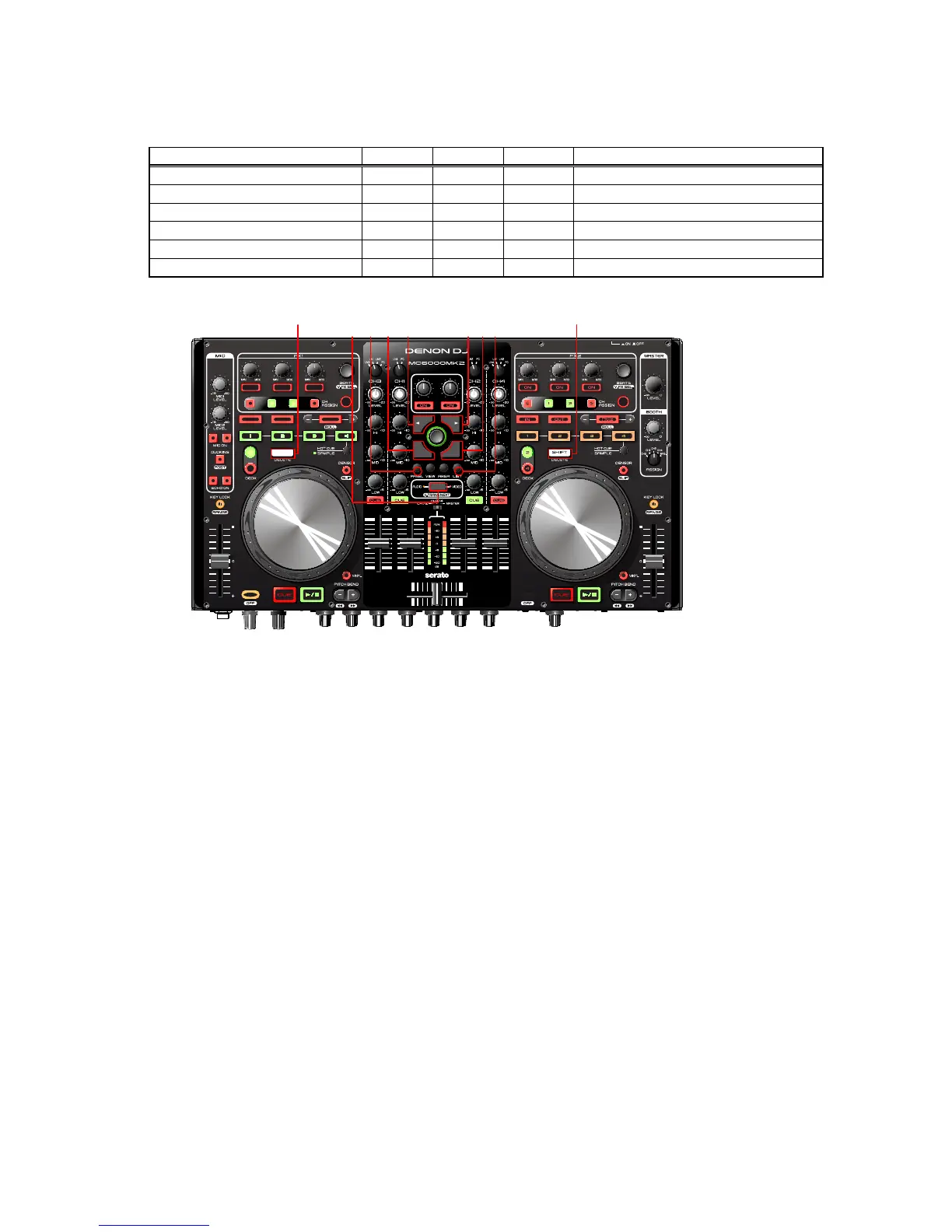
Special mode setting button
Hold down buttons A, B and C at the same time and press the power button to turn on the power.
Mode A B C Contents
Version Up mode 3 6 8 Firmware Upgrade
Version Display Mode 1 6 8 Firmware version display
Adjusting mode of the touch sense sensitivity 1 4 5 Adjust sensitivity of JOG wheel.
Initialize mode 1 3 6 Return to factory default setting.
MIDI transmission time mode 1 2 7 MIDI command transmission interval time
SW, VOLUME, ENCODER and LED TEST - - - Test of each function. (Use PC)
8
1 2 3 4 5 6 7
8
2. Version Up mode
Version up processing
*See "FIRMWARE UPDATE PROCEDURE" (34 page) for the procedure of the rmware update.


 To Next Page