28
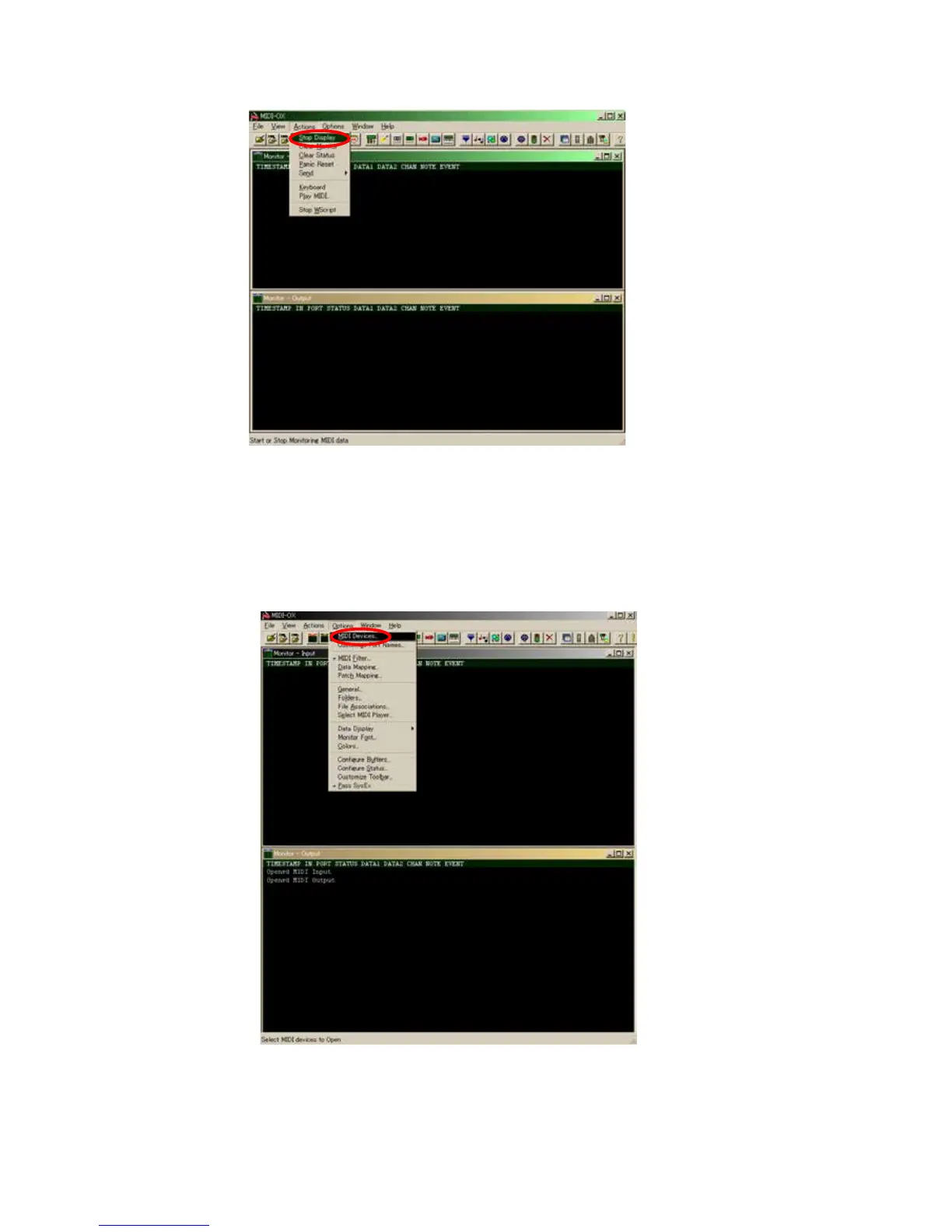
(7) Open the [Actions] menu and check that “Stop Display” is shown.
If “Start Display” is shown, click “Start Display” so that “Stop Display” is shown.
[2] Check the SW/VOLUME/ENCODER
When SW/VOLUME/ENCODER is operated on this unit, the corresponding MIDI command is shown on MIDI-OX.
If the MIDI command is not shown on MIDI-OX even when the panel of this unit is operated, check the following.
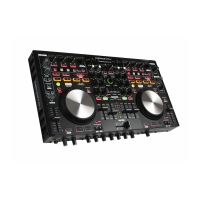
(1) Select [Options] menu - [MIDI Device].


 To Next Page