
 Need help?
Do you have a question about the Denon PERL PRO and is the answer not in the manual?
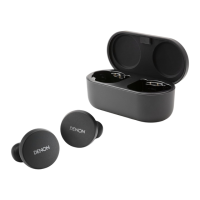
Instructions on wearing earbuds correctly for a secure and comfortable fit.
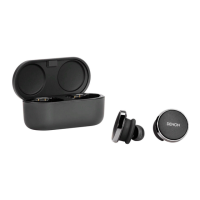
Explains how to turn the earbuds on by removing them from the case and off by placing them back.
Informs users where to download the Denon Headphones app (App Store, Google Play).
Step-by-step guide to pair earbuds with a mobile device via Bluetooth for the first time.
Steps to download app, create account, and pair earbuds before personalization.
Guide on adjusting earbuds for fit and starting personalization in the app.
Procedure for charging earbuds by placing them in the charging case.
How to view exact battery level of earbuds and case within the Denon Headphones app.
How to answer calls directly on the phone or via assigned touch button functions.
Steps to connect earbuds to a second device while maintaining connection to the first.
Steps for performing a basic device reset by holding touch buttons.
Instructions for a factory reset via the app, noting it will delete hearing profiles.
Troubleshooting tips for when the earbuds or charging case fail to charge.
Solutions for earbuds not connecting to app, including updates and resets.
Tips for resolving Bluetooth connection issues, including distance, interference, and pairing.
Steps to resolve issues with calls, focusing on connection, microphones, and resets.
Tips for best sound, including file formats, streaming services, and personalization.
General checks like charging, app/device updates, and Bluetooth connection for unresolved issues.
Advanced steps including forgetting device, resetting, reinstalling app, and cleaning.
 General
| Driver Type | Dynamic |
|---|---|
| Noise Cancellation | Yes |
| Charging Case Battery Life | 24 hours |
| Water Resistance | IPX4 |
| Voice Assistant Support | Yes |
| Type | True Wireless |
| Driver Size | 10 mm |
| Bluetooth Version | 5.0 |
| Charging Time | 2 hours |
| Personalized Sound | Yes |
| Microphone | Yes |
| Active Noise Cancellation | Yes |
| Connectivity | Bluetooth |


 To Next Page