EasyManua.ls Logo

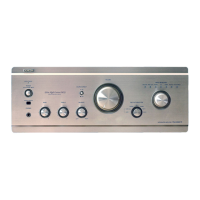
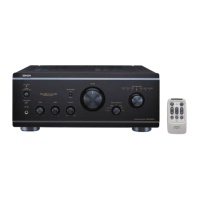
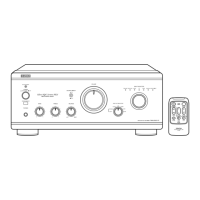
Denon PMA-2020AE - Service Manual

Denon PMA-2020AE
50 pages
Print Icon
To Next Page IconTo Next Page
Loading...
D&M Holdings Inc.
SERVICE MANUAL
e
e
Copyright 2012 D&M Holdings Inc. All rights reserved.
WARNING: Violators will be prosecuted to the maximum extent possible.
MODEL JP E3 E2 EK EA E1C E1K EUT
PMA-2020AE
P P
INTEGRATED AMPLIFIER
Ver. 2
S0569-1V02DM/DG1210
Some illustrations using in this service manual are slightly different from the actual set.
Please use this service manual with referring to the operating instructions without fail.
• For purposes of improvement, specications and design are subject to change without notice.
Please refer to the
MODIFICATION NOTICE.

Other manuals for Denon PMA-2020AE

Questions and Answers

  • J
    Jeffrey PaulJul 26, 2025
    What to do if my Denon Amplifier power indicator lights up, but no sound is produced?
    • S
      Sharon EatonJul 26, 2025
      If the power indicator on your Denon Amplifier is lit but no sound is coming out, it could be due to several reasons: * The speaker cables might not be fully connected - connect them securely. * The incorrect device may be selected - ensure the correct input is selected. * The volume control might be set to minimum - set it to an appropriate level. * The input cable may not be fully connected - connect it securely.
  • C
    Crystal ArmstrongJul 30, 2025
    Why is there no sound and the power indicator not lighting up on my Denon PMA-2020AE Amplifier?
    • I
      iwalkerJul 30, 2025
      If your Denon Amplifier's power indicator doesn't light up and no sound is produced when you turn it on, the power cord's plug might not be fully plugged in. Check if the cord is securely inserted into the wall power outlet.
  • D
    Douglas AlvarezAug 3, 2025
    What to do if my Denon PMA-2020AE Amplifier only produces sound from one speaker?
    • J
      Joshua FieldsAug 4, 2025
      If sound is only coming from the left or right speaker(s) on your Denon Amplifier, check the following: * Ensure the speaker cables are securely connected. * Make sure the input cable is fully connected. * Adjust the left/right balance using the balance control knob.
  • R
    rachel91Aug 7, 2025
    What to do if the left and right stereo sound is reversed on my Denon PMA-2020AE Amplifier?
    • M
      Melissa PerezAug 8, 2025
      If the left and right stereo sound is reversed on your Denon Amplifier, the connections of the speakers or input cables are likely reversed. Check the connections to ensure that the left speaker/input is connected to the left terminal and the right speaker/input is connected to the right terminal.
  • M
    Matthew WallAug 12, 2025
    Why is there a humming sound when playing records on my Denon PMA-2020AE?
    • K
      ksmithAug 12, 2025
      If you hear a humming sound when playing records on your Denon Amplifier, consider these potential causes: * The player’s ground wire is not connected - connect it securely. * The cables are not fully connected to the PHONO terminals - connect them securely. * There may be interference from a TV or VCR near the player - try changing the positions in which the devices are installed.
  • V
    Vanessa SheltonAug 17, 2025
    Why is there howling produced when playing records on my Denon PMA-2020AE?
    • R
      rowelaurenAug 17, 2025
      If howling is produced along with the music when playing records on your Denon Amplifier, especially at high volumes, it could be because: * The player and speakers are too close together - install the player and speakers as far from each other as possible. * Vibrations from the speakers are being transmitted to the player through the floor - use cushions, etc., to absorb the speakers’ vibrations.
  • K
    kristinasimpsonAug 21, 2025
    What to do if the sound is distorted when playing a record on my Denon Amplifier?
    • M
      Mary OliverAug 21, 2025
      If the sound is distorted when playing a record on your Denon Amplifier, it could be due to: * Incorrect needle pressure - adjust to a proper needle pressure. * Dirt on the tip of the needle - check the tip of the needle. * A defective cartridge - replace the cartridge.

Summary

General Safety Precautions

Leakage Current Check Procedure

Outlines the procedure for checking leakage current before returning the unit.

Servicing and Inspection Cautions

Highlights important cautions to follow during servicing and inspection procedures.

Important Safety Parts Identification

Explains how safety-critical parts are indicated and the importance of using designated replacements.

Technical Specifications Overview

Power Amplifier Section Specifications

Details the performance metrics for the unit's power amplifier stage.

Pre-Amplifier Section Specifications

Lists the input sensitivity, impedance, and RIAA deviation for the pre-amplifier.

Overall Performance and General Specs

Covers S/N ratio, tone control, power supply, and consumption details.

Unit Disassembly Procedures

Idling Adjustment

Idling Adjustment Setup

Describes the preliminary setup steps required before performing idling adjustment.

Troubleshooting Guide

Power On Failure (No LED)

Provides troubleshooting steps for when the unit does not power on.

No Sound Output (Dual Channel)

Guides diagnosis for cases with no sound output in both channels.

No Sound Output (Single Channel)

Offers troubleshooting steps for when sound output is missing in only one channel.

Block and Level Diagram Analysis

Wiring Diagram Reference

Printed Wiring Board Layouts

Schematic Diagrams Part 1

Schematic Diagrams Part 2

Schematic Diagrams Part 3

Schematic Diagrams Part 4

Schematic Diagrams Part 5

Exploded View Assembly

Exploded View Parts List

Semiconductor Components

IC Diagrams and Application Circuits

PCB Unit Parts Lists

Power Amp PWB Unit Parts List

Flat Amp PWB Unit Parts List

Denon PMA-2020AE Specifications

General IconGeneral
Amplifier class-
Input sensitivity135 mV
Audio output channels2.0 channels
Peak power per channel160 W
Signal-to-Noise Ratio (SNR)108 dB
Total Harmonic Distortion (THD)0.01 %
AC (power) inYes
Audio (L/R) in7
Audio (L/R) out2
Headphone outputs1
PurposePerformance/stage
Product colorSilver
Connectivity technologyWired
AC input voltage100-240 V
AC input frequency50 - 60 Hz
Power consumption (standby)0.2 W
Power consumption (typical)310 W
Weight and Dimensions IconWeight and Dimensions
Depth435 mm
Width434 mm
Height181 mm
Weight24400 g

Related product manuals