15
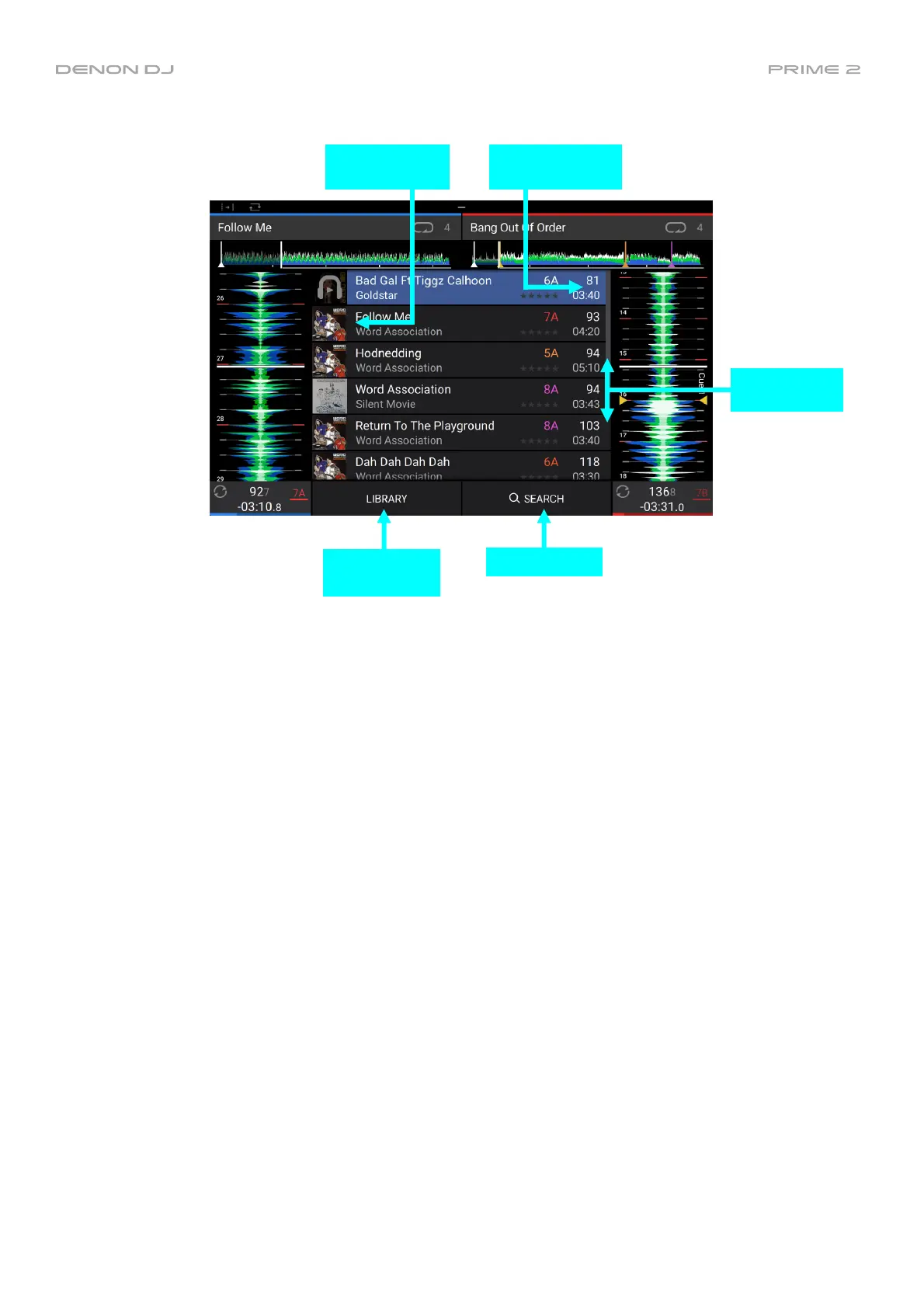
Central Library Preview
Swipe up or down to browse tracks.
Tap and drag the scroll bar to quickly browse through tracks.
Swipe right to load a track to the right deck.
Swipe left to load a track to the left deck.
Tap Library to open the full Library screen. See Library View for more information.
Tap Search to search for tracks using the keyboard that appears on the touchscreen.
Swipe Right to
Load to Right Deck
Swipe Left to
Load to Left Deck
Tap to Open
Library View
Tap to Search
Tap and Drag to
Quickl
Scroll



 To Next Page