6
Setup
Important: Occasionally, we may update PRIME 2’s firmware to add exciting new features and improvements. Visit
denondj.com to check for available firmware updates, especially after you update your software (firmware updates
may address new software features).
1. Visit denondj.com and log into your account. (Create an account if this is your first Denon DJ product.)
2. In your account, download and install the latest version of Engine Prime. Double-click the .exe (Windows
®
) or
.dmg (macOS
®
) installer file you downloaded, and then follow the on-screen instructions to install Engine Prime.
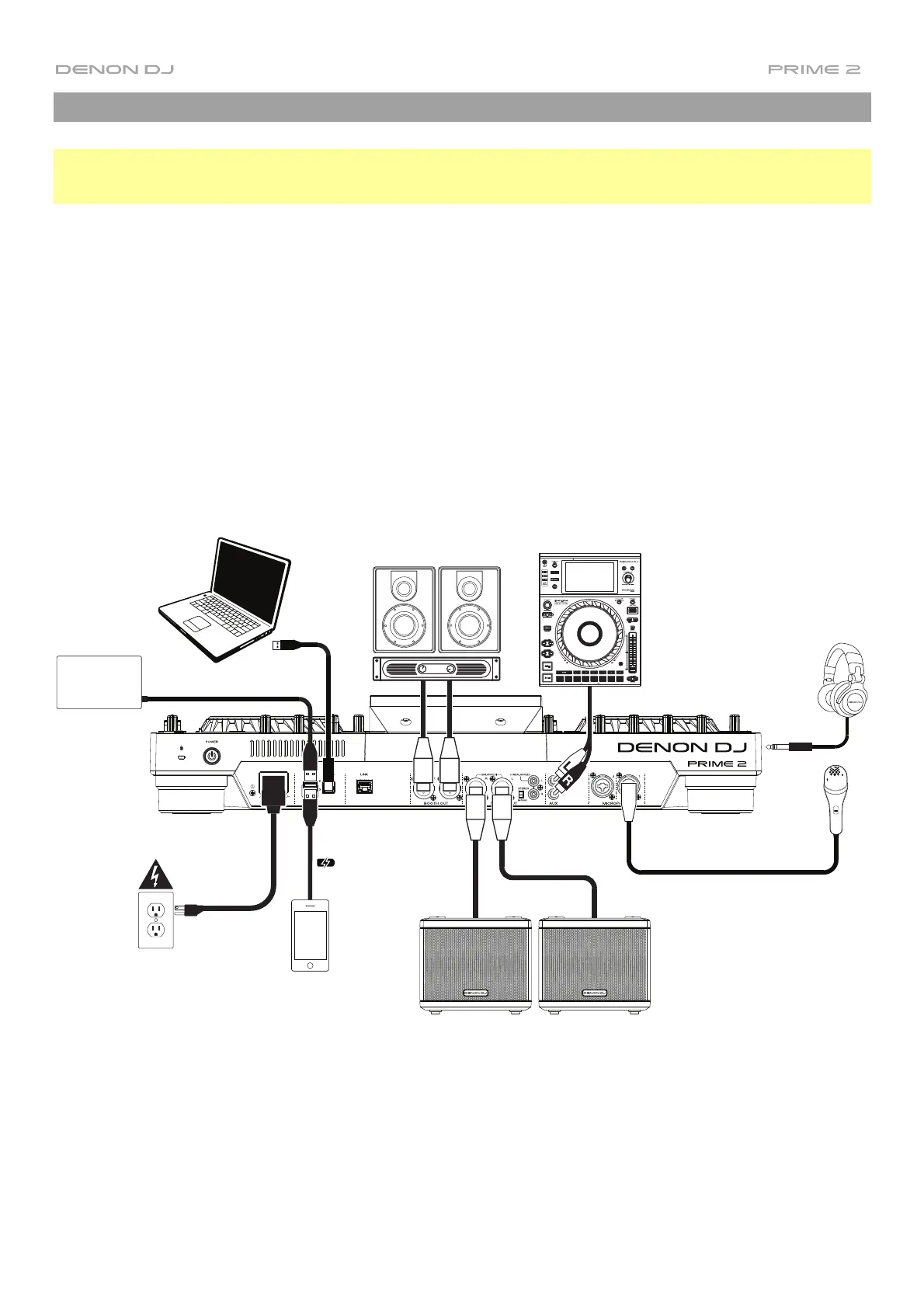
3. Connect input sources (microphones, CD players, etc.) to PRIME 2.
4. Connect output devices (headphones, power amplifiers, loudspeakers, etc.) to PRIME 2.
5. Plug all devices into power sources, and turn on devices in proper order:
• When starting a session, turn on (1) input sources, (2) PRIME 2, (3) output devices.
• When ending a session, turn off (1) output devices, (2) PRIME 2, (3) input sources.
6. To use Engine (standalone playback): Insert a USB flash drive or SD card (with an Engine-configured music
library) to one of PRIME 2’s USB ports or SD Card Slot.
Items not listed under the Introduction > Box Contents are sold separately.
Computer
(optional)
Booth Monitors
Media Player
Headphones
(front panel)
Microphone
Powered Loudspeakers
Hard Drive
Power
Smartphone
or Tablet



 To Next Page