19
Editing Crates and Playlists
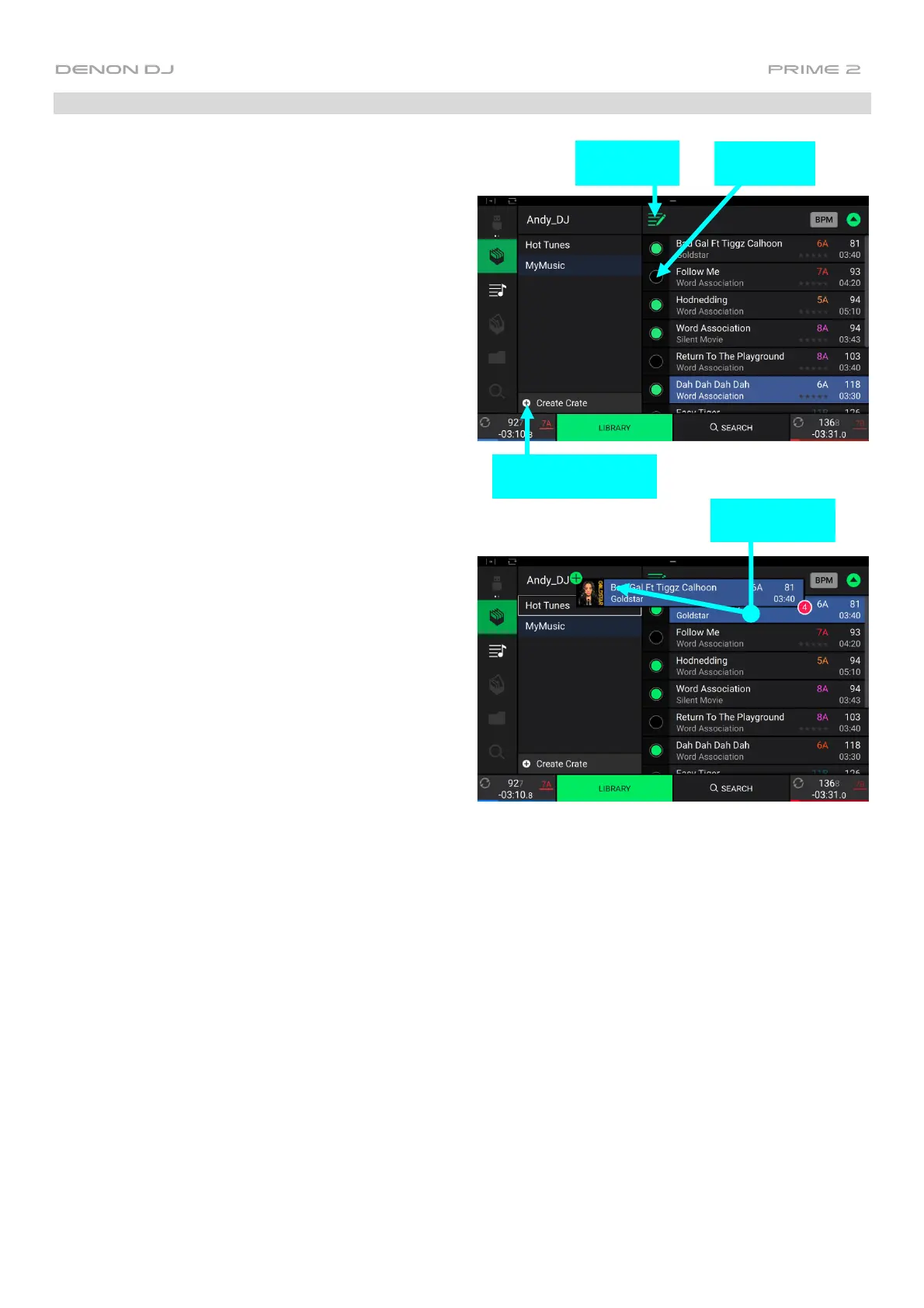
Tap the edit button at the top of the touchscreen while
viewing the crates or playlist screen. While editing is
active, you can do any of the following:
To make a new crate, tap + Create Crate in Crates
view.
To make a new playlist, tap + Create Playlist in
Playlist view.
To make a new folder, tap + Create Folder in
Playlist view.
To add tracks to your crate or playlist, tap a track
to select it, and the open circle will become filled.
After selecting tracks, tap and hold to move the
tracks. You can drag the tracks over a crate,
playlist or folder and release your finger to instantly
add them.
To reorder tracks in a playlist, tap and hold on the
track name (while editing mode is still active), then
move your finger up or down to change the track
order. You can also reorder playlists in the same
way.
Tap to Enable
Editing
Tap to Select
Tracks
Tap to Create New
Playlist, Folder or Crate
Tap, Hold & Drag
to Move Tracks



 To Next Page