21
/36Updated: Dec. 23, 2020
7-2. Connecting to the PC
Refer to the setup manual for the connecting to the PC.
[CAUTION]
When performing tasks that can cause vehicle malfunction if the wireless communication
is disconnected, use the USB communication to connect with the PC by using the USB
cable and the USB cable lock.
If communication is disconnected during performing such tasks, it may cause a
malfunction of the vehicle.
The communication range depends on any obstacles (i.e., human bodies, metal, walls)
between this product and the wireless connection device, and the condition of the radio
wave.
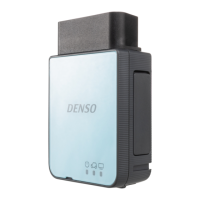
An antenna is built into this product. The sensitivity of the wireless communication is
maximized when no obstacles exist between the wireless connection device and the
antenna of this product.
The communication distance becomes shorter
when there are obstacles between the
antenna of the connected Bluetooth device and the built
-in antenna of this product.
Wireless communication (Wireless model only)
7-2. Connecting to the
PC
7. Connection


 To Next Page