25
/36Updated: Dec. 23, 2020
USB communication
USB cable and USB cable lock are used to connect the main unit and the PC.
[NOTE]
First, connect the main unit and USB cable (main unit-side connector) using the USB cable
lock.
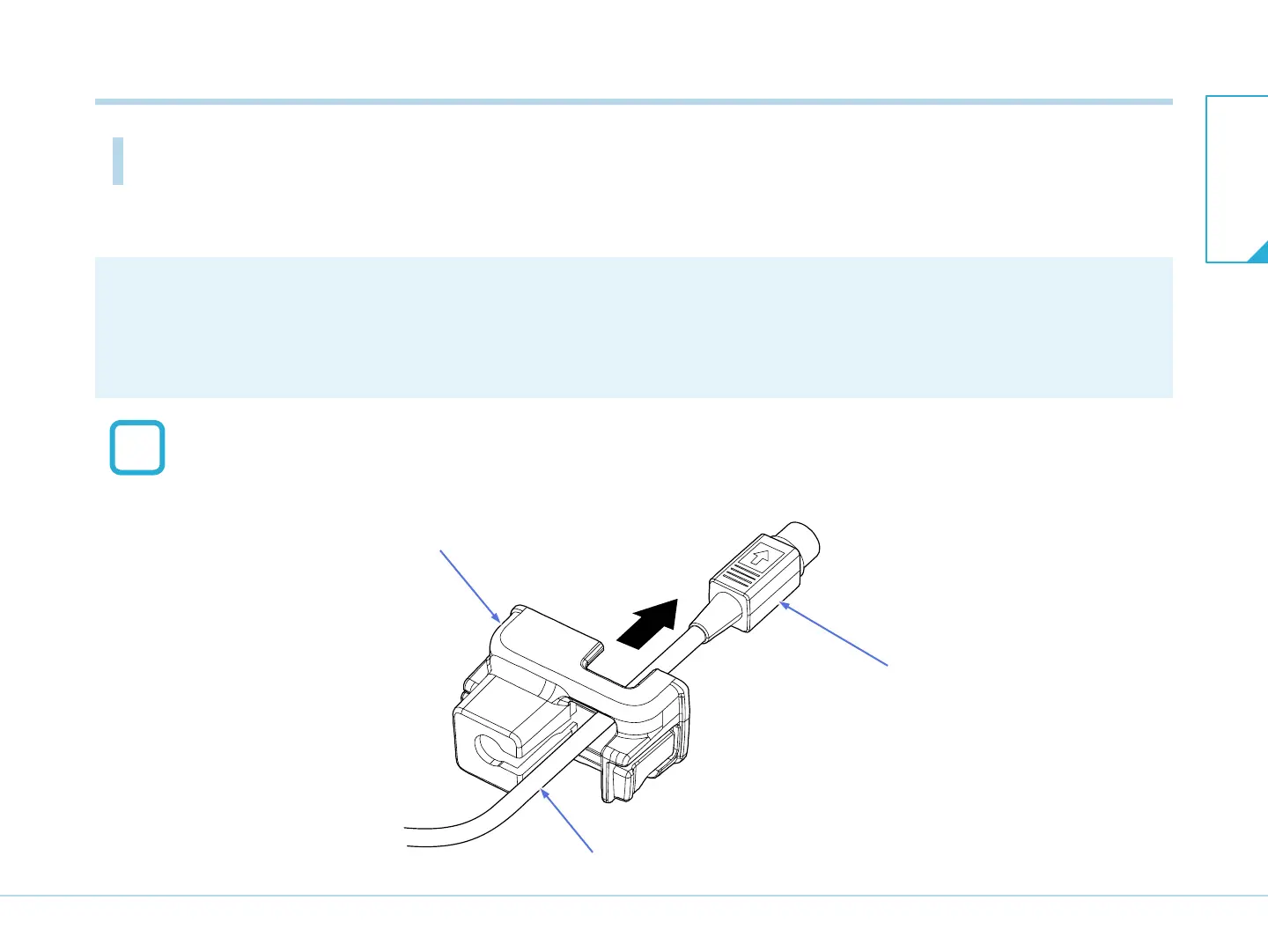
Pass the main unit-side connector of the USB cable through the USB cable lock.
USB cable lock
USB cable
Main unit-side connector
T03032J
1
7-2. Connecting to the PC
7-2. Connecting to the
PC
7. Connection


 To Next Page