26
/36Updated: Dec. 23, 2020
[NOTE]
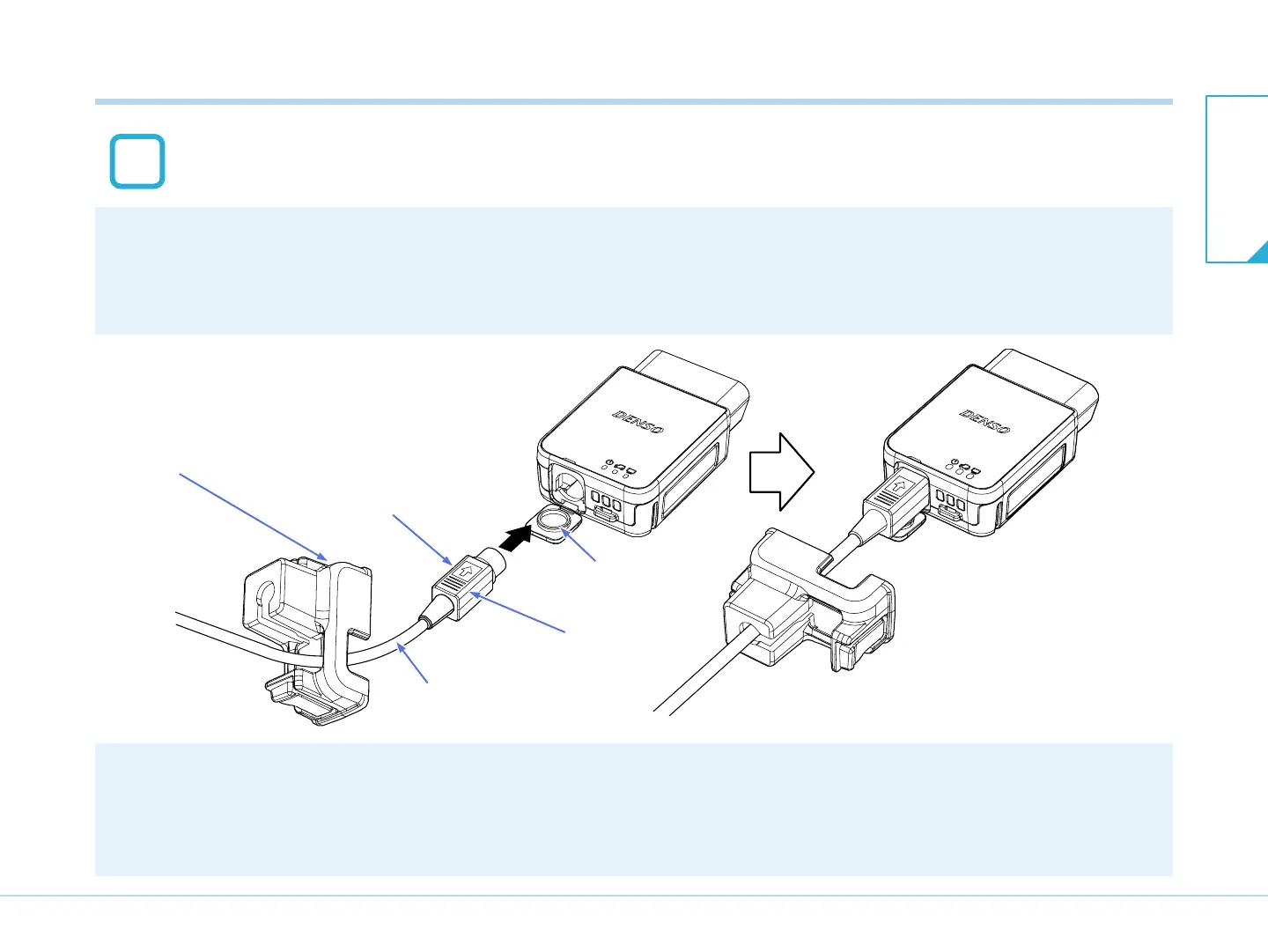
Make sure that the direction of the connector is correct.
Side with an arrow mark on the main unit-side connector is the upper side.
Open the rubber cap on the main unit, and connect the main unit-side connector of
the USB cable.
USB cable lock
USB cable
Main unit-side connector
Side with an arrow
mark is upper side
Rubber cap
T03029J
2
[CAUTION]
Do not apply excessive force when inserting the connector.
Insert the USB cable carefully in the correct orientation.
7-2. Connecting to the PC
7-2. Connecting to the
PC
7. Connection


 To Next Page