27
/36Updated: Dec. 23, 2020
[NOTE]
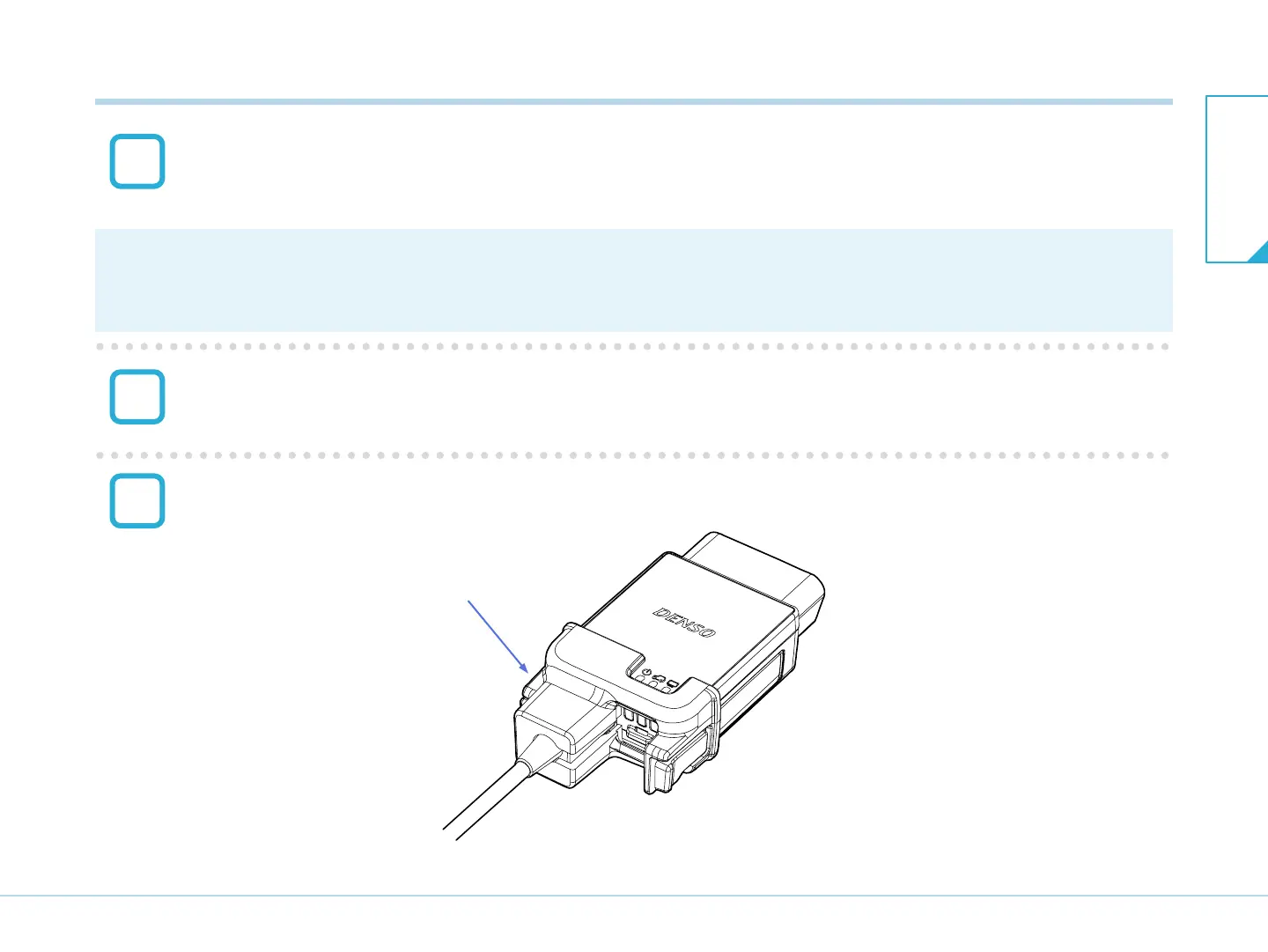
Store the rubber cap for main unit USB connector in the USB cable lock.
Attach the USB cable lock by aligning it with the guide section of the main unit.
Press until you hear a click sound indicating it is locked.
Check that the USB cable lock is securely fixed to the main unit.
USB cable lock
After attaching the USB cable lock
T03033J
3
4
5
7-2. Connecting to the PC
7-2. Connecting to the
PC
7. Connection


 To Next Page