28
/36Updated: Dec. 23, 2020
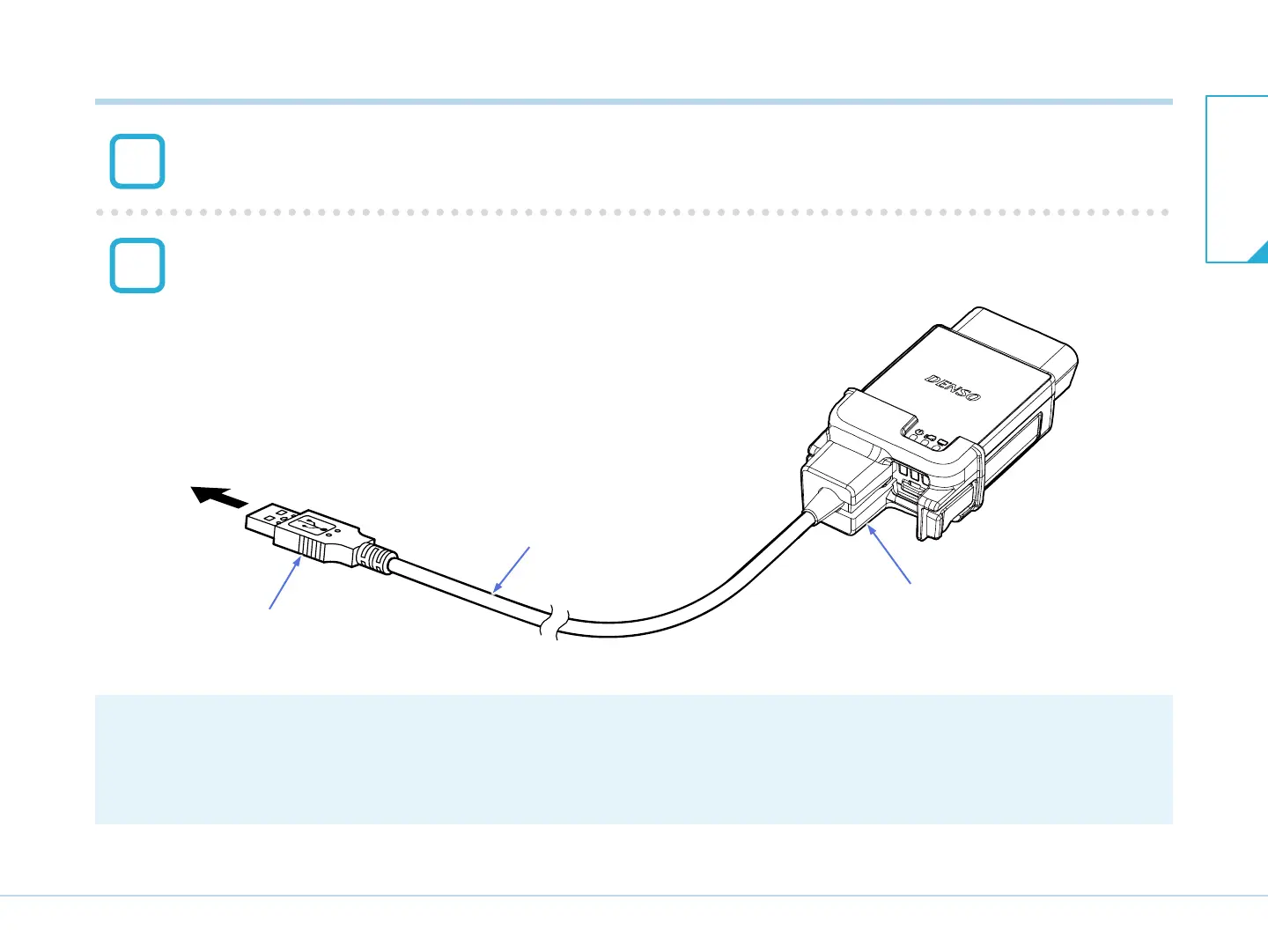
Connect the PC side connector of the USB cable to the USB port of the PC.
After connecting the main unit, power supply becomes ON.
PC side connector
Connect the PC side connector to USB port.
USB cable
USB cable lock
[CAUTION]
When reprogramming this product, always attach the USB cable lock.
T03028J
6
7
7-2. Connecting to the PC
7-2. Connecting to the
PC
7. Connection


 To Next Page