EN10
Displaying information (OSD)
During playback, you can see all DVD disc information and current play settings. Display will show related
playbacktime,elapsetime,titlenumber,chapternumberandotherinformation.
1.PressOSD ontheremotecontrolonce.Unitwilldisplaytheplaytimeandthediscelapsetime.
2.Pressitoncemoreandallothersettingsinformationwillbedisplayed.
LISTENING TO CD/MP3/WMA
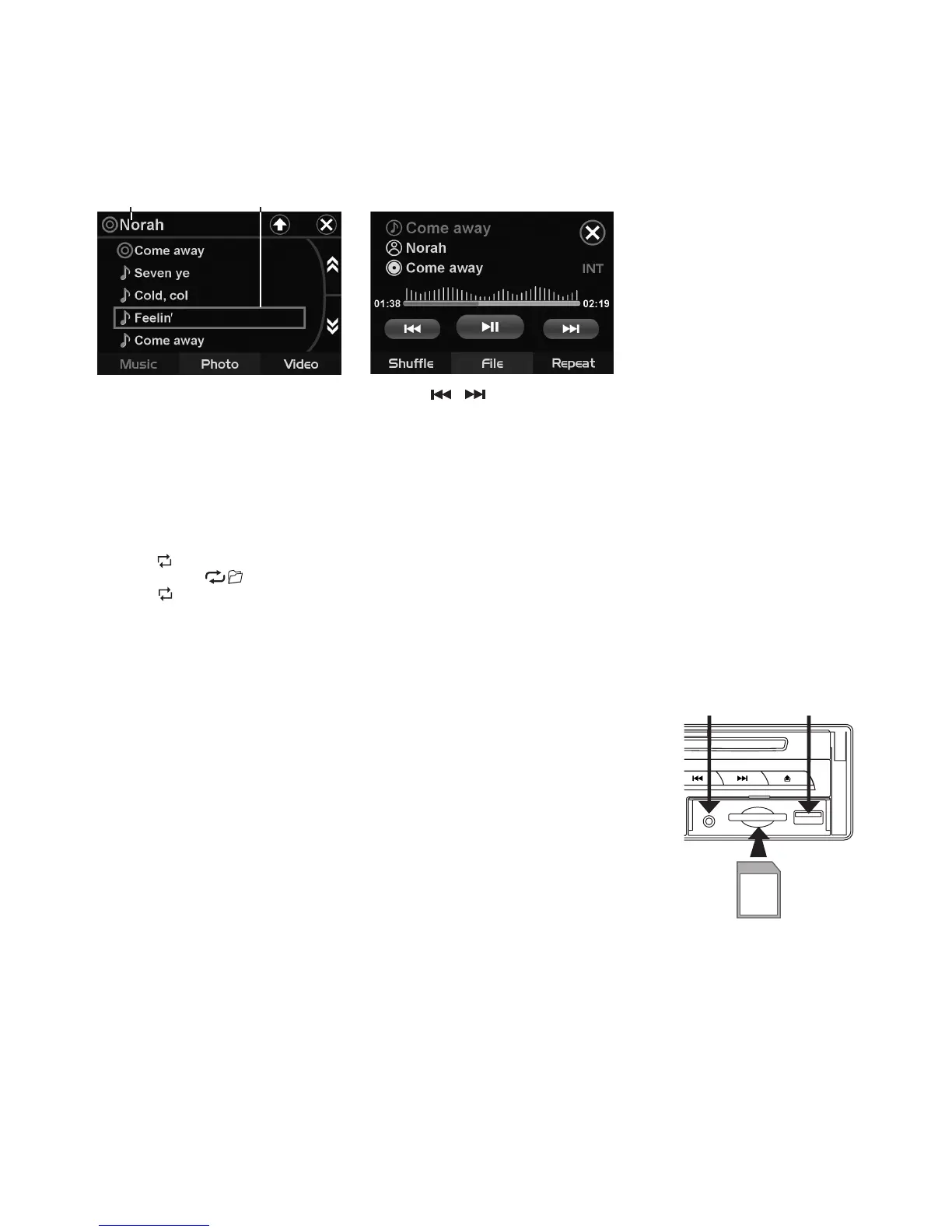
FolderName Tracklenames
PlayerFileInfo
Tips: When folder menu is activated, pressing / button on front panel will toggle between MUSIC /
PHOTO / VIDEO options while pressing SEEK-/SEEK+ on remote will display the les found on next page.
Intro Playback (Audio CD only)
PressINTduringplaybacktoplaytherst10secondsofeachtrack.
Repeat tracks
Youcanchoosebetweenrepeatplaybackofasingletrackoralltracks.
1.PressRPT ontheremotecontrolduringplayback.
2.Everytimeyoupressthisbutton,theunitswitchestothefollowingsettings:
Repeat
1
ALL
–Repeatallfoldersandtracks.
Repeat -Turnoffrepeat.
TITLE
Duringmusicplayback,pressTITLEonremotetoreturntoaudiolelists.
AUX IN
Anexternalaudiosource(e.g.portableMP3player)canbeconnectedtotheAUX
INsockettobeplayedbackbythevehicleloudspeakers.
1.ConnecttheAUXINsocketwiththeaudiooutputoftheexternaldevice.
USB/SD/MMC Memory Card
Thedeviceis equipped with a USB interface andamemorycard reader for SD/
MMCcards.MP3orWMAlesstoredonthesemediacanbeplayed.
Note:
-
Due to the great variety of devices with USB and SD/MMC card interfaces that
sometimes have manufacturer-specic functions, we cannot guarantee that all
media will be recognized and that all operational functions will be available with
this device.
- You cannot operate USB hard drives on the device.
-
It maybe necessary to turn the ash memory ON so that it can be read.
1.PlugyourUSBstoragemediumintotheUSBport.
2.Ifyouuseamemorycard,insertitintothememorycardreader.
3.
Theplayerautomaticallyswitchestotheinputusedandstartsplayback.
4.Seethesectiononoperationscommonforaudio/videolesonhowtocontrolUSBormemorycardplayback.
PLAYING DVD/VIDEO CD/MP4
Playback
1.Insert adisc.When the discoffersamenu, themenuis displayed. Whena disc alreadyinserted,press
MODEtoswitchtodiscmode.
2.On DVDs and video CDs with playback control (PBC), menu screens may appear automatically. If this
happens,performtheoperationdescribedbelowtostartplayback.
USBPORTAUXIN


 To Next Page
 Loading...