ENG-5
5 Step guide to getting started
Switch on/off
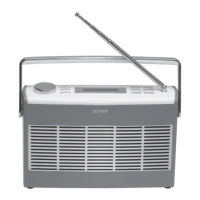
1.Press and hold the ‘ ’ button on the top of the radio to switch on.
2. Press and release the ‘ ’ button to switch off. The radio will go into standby
mode and the time and date will be displayed.
FM
1. Press and release the ‘DAB/FM’ button until you are in FM mode.
2. Press and release the ‘Scan’ button to scan for FM stations, your radio
will stop at the next available station.
3. Press and release the ‘Station +’ and ‘Station -’ buttons to fine tune each
frequency, if required.
4. The RDS information for each station will be displayed, if available.
5. Adjust the volume using the left hand rotary control.
1. Press and release the ‘DAB/FM’ button until you are in DAB mode.
2. Press and release the ‘Scan’ button to scan for DAB stations.
3. Press and release the ‘Station +’ and ‘- Station’ buttons on the radio to
move through the station list.
4. Press and release the ‘Select’ button on the top of the radio when the
station you would like to listen to is displayed. Alternatively, wait a few
seconds and your radio will automatically tune to the displayed station.
5. Adjust the volume using the left hand rotary control.
DAB


 To Next Page