ENG-6
Using your DAB radio
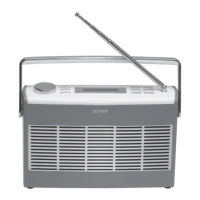
Telescopic aerial
Please make sure that the aerial on the top of the radio is fully extended
and adjusted when you scan for DAB stations and listen to DAB radio.
This will ensure that the maximum signal strength is available as well as the
best possible sound quality.
DAB mode
Press and release the ‘DAB/FM’ button on the top of your radio until ‘DAB’
is displayed.If you were listening to a DAB station when you switched the
radio off then this station will be automatically selected when you switch
the radio back on.
Changing DAB stations
1. If you are not already in DAB mode, press and release the ‘DAB/FM’
button on the top of your radio until ‘DAB’ is displayed.
2. Press and release the ‘Station +’ and ‘- Station’ buttons on the radio to
move through the station list.
3. Press and release the ‘Select’ button on the top of the radio when the
station you would like to listen to is displayed. Alternatively, wait a few
seconds and your radio will automatically tune to the displayed station.
Scanning for DAB stations
With DAB radio, additional stations and services regularly become
available so it’s a good idea to carry out a scan every now and then to
make sure that you have the most up to date station listing stored within
the memory of your radio.
If you have moved your radio to another location, e.g. if you go on holiday,
then it’s also a good idea to carry out a scan.
1. If you are not already in DAB mode, press and release the ‘DAB/FM’
button on the top of your radio to go to DAB mode.
2. Press and release the ‘Scan’ button on the top of your radio to carry
out a scan. ‘Scanning’, will be displayed and a progress bar will show
the progress of the scan and the number of stations found during the
scan will also be displayed.
Note: See ‘Changing DAB stations’ on page 9 for how to change DAB
stations after a scan.


 To Next Page