- 15 -
6.
DAB+/DAB Radio(Digital Audio Broadcasting)
If there is Digital Audio Broadcasting (DAB) in your area, the Tuner can pick
up the DAB stations as well (no internet connection is required). The Tuner
supports both DAB and DAB+.
Connect the wire antenna (supplied in the box) to the antenna jack on the
rear cabinet. Place the Tuner close to the window and extend the antenna
as far as it can go to get the best reception.
On the Home screen (main menu), scroll to DAB Radio or use the [MODE]
button on the remote to switch to DAB Radio and confirm the selection.
Choose DAB full scan to confirm scanning if this is the first time using the
DAB radio. Confirm to start scanning and it will show the progress on the
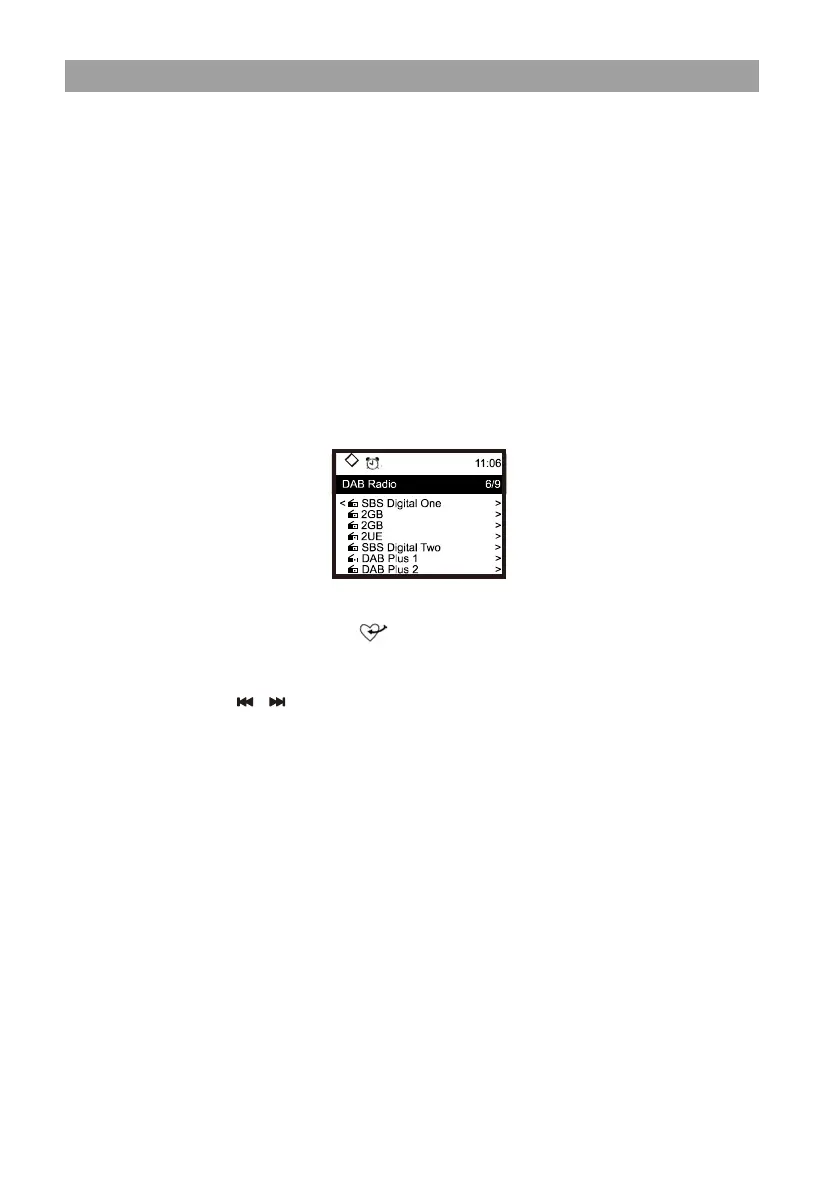
number of channels received. When it is done, a preset page will be
displayed for your action.
You can select the channel and start listening to it. Whenever you want to
add to My Favourite, press the button on the remote, it will add to the
favourite list.
Always press the [ / ] button on the remote to skip to previous or next
preset. Press the [ ◄ ] button to return to the Preset list.
Note ─ When a DAB radio is playing, press the [ INFO ] button to view more
radio information, each time you press the [ INFO ] button, it will display
various information at a time such as radio frequency, rolling texts (if
available) and big time clock.
New digital radio stations should be picked up automatically by the Tuner if
they are part of a multiplex you already received. Otherwise you need to do
the DAB full scan again.


 To Next Page