- 16 -
7.
FM Radio
To receive the ordinary FM stations (no internet connection is required),
connect the wire antenna (supplied in the box) to the antenna jack on the
rear cabinet first.
Place the Tuner close to the window and extend the antenna as far as it can
go to get the best reception.
On the Home screen (main menu), scroll to FM Radio or use the [MODE]
button on remote to switch to FM Radio. Press [OK] to start.
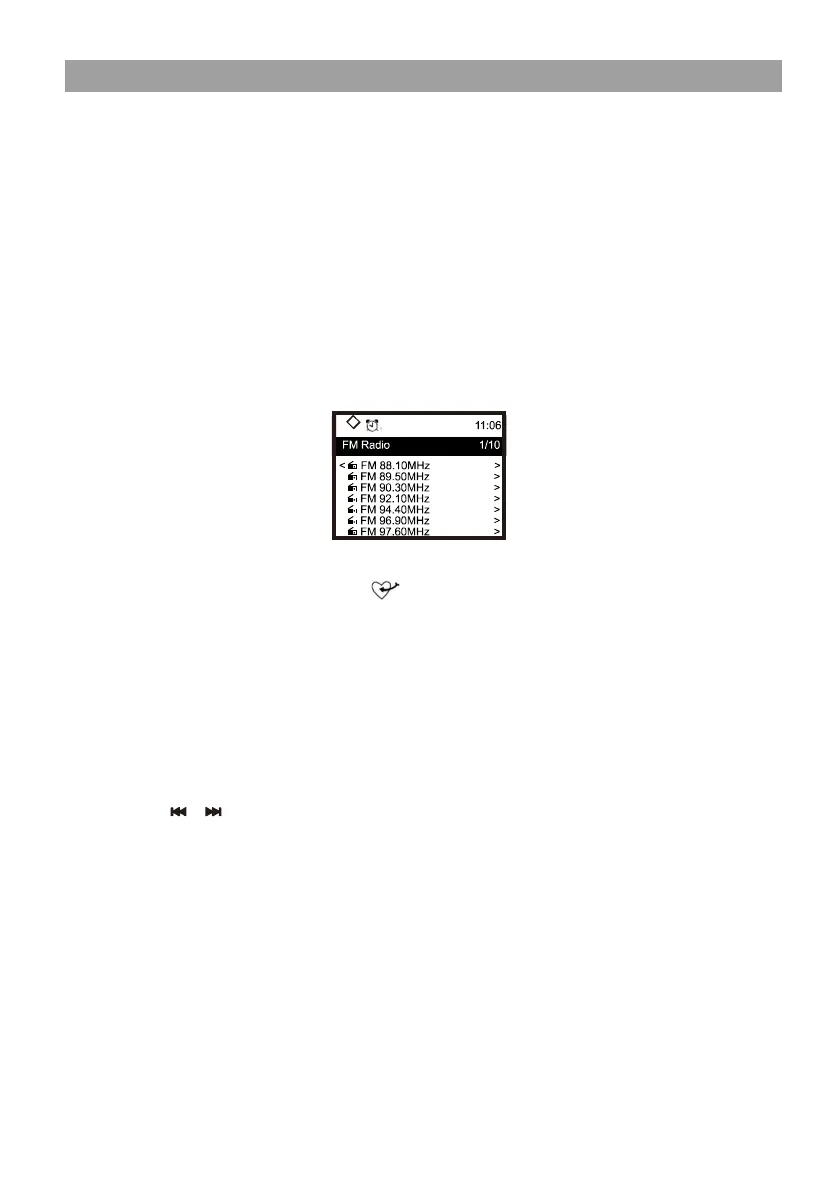
Choose FM full scan to confirm scanning if this is the first time using the
FM radio. When it is done, it will automatically save the found channels on
presets and display the list for your action.
You can select the channel and start listening to it. Whenever you want to
add to My Favourite, press the button and it will add to the favourite
list.
Press the [ ◄ ] button to return to preset list.
Note ─ When it is playing FM radio, press the [ INFO] button to view more
radio information, each time you press the [ INFO ] button, it will display
various information at a time such as radio frequency and big clock display.
Manual Tune
Press the [ / ] button on the remote to fine tune the frequency. Long
pressing the same buttons to skip to the next / preceding available station.


 To Next Page