ENG-4
Note:
- Before inserting or replacing a microSD card, make sure the
unit is powered off.
- When inserting the microSD card, make sure it is properly
oriented.
-
Never force a card in violently, as this may damage the card
or the unit. If it does not fit easily, check to ensure it is
oriented correctly.
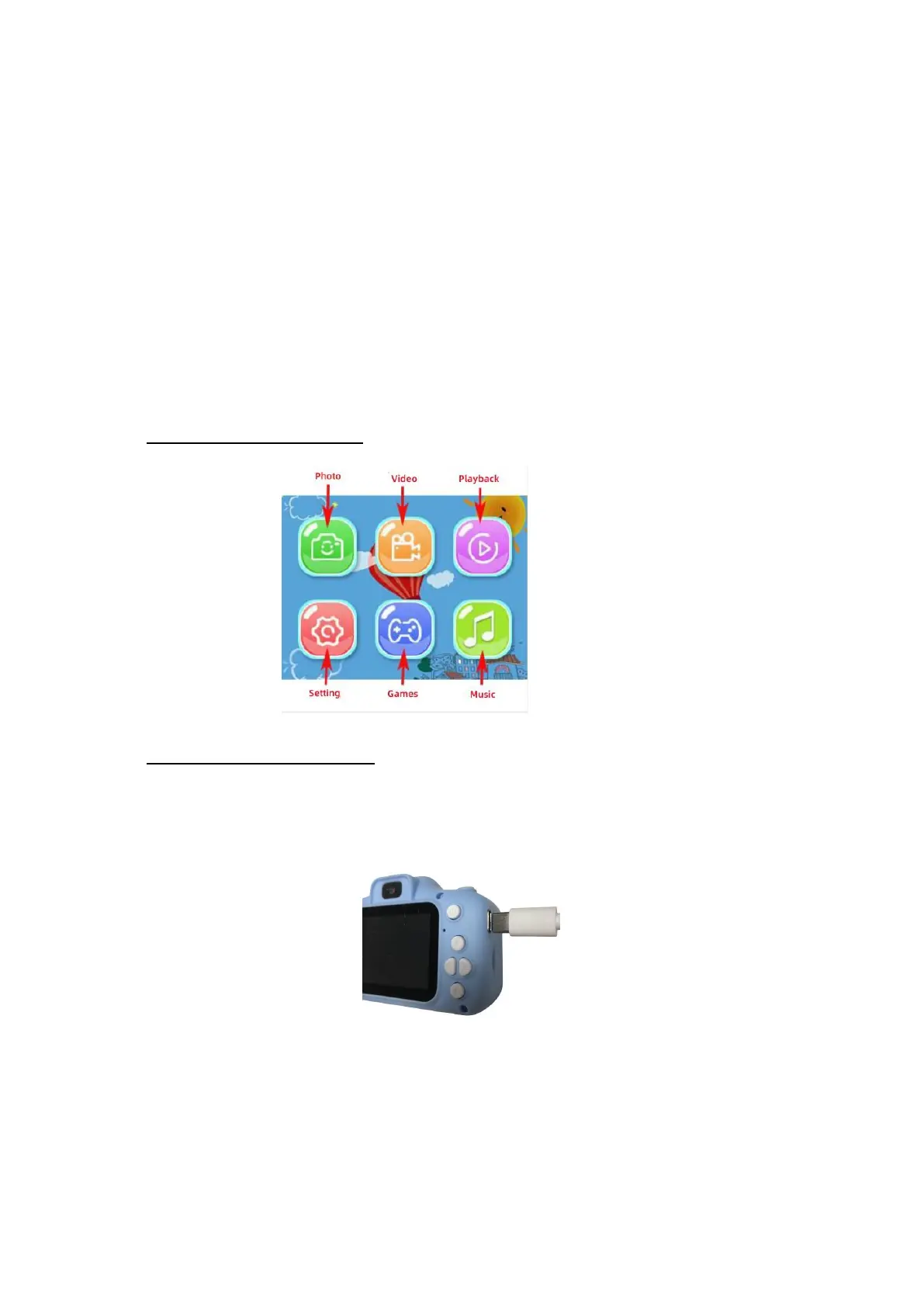
1.4.HOME PAGE ICONS
1.5.BATTERY CHARGING
-
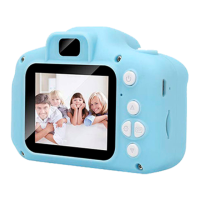
Plug the included USB Type-C cable (small end) into the USB Type-C
port of the camera, as illustrated below:
- Plug the USB type – A end (large end) into your computer or
standard USB power adapter outlet.
- When the connection is successful, a battery charging symbol
appears on the camera screen.
-
When the battery is fully charged, the battery symbol on the screen
looks full.


 To Next Page