ENG-5
- When the battery is fully charged, disconnect the charger from the
power outlet first, then disconnect the charging cable from the
camera.
Note: Please charge your camera before you use it. It takes
approximately 2 hours to fully charge the battery.
2. CAMERA
2.1.
Photo
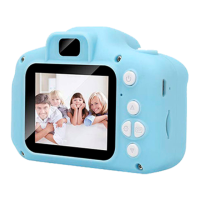
- Press the direction buttons to select the camera icon, then press
the Camera/Video button to enter Camera mode.
- Press the Camera/Video button to take a photo.
-
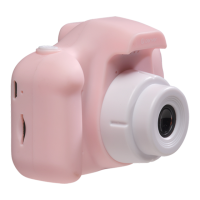
In Camera mode, press the right button to switch between front
and rear lenses.
2.2. Photo frames
- Enter Camera mode and press the up and down buttons to select
various photo frames and special effects.
3. ZOOM
- In camera mode, long press the up or down button to zoom the
photo in or out.
4. VIDEO
- Press the direction buttons to select the video icon, then press the
Camera/Video button to enter Video mode.
- Press the Camera/Video button to begin recording the video.
-
When you are done, press the same button to stop recording the
video.
5. PLAYBACK
- Press the direction buttons to select the playback icon, then press
the Camera/Video button to enter Playback mode.
-
Press the up or down button to select the video or photo.
-
Press the Camera/Video button to playback the video.
- Press the left button to delete the video or photo.


 To Next Page