9
ATV Source
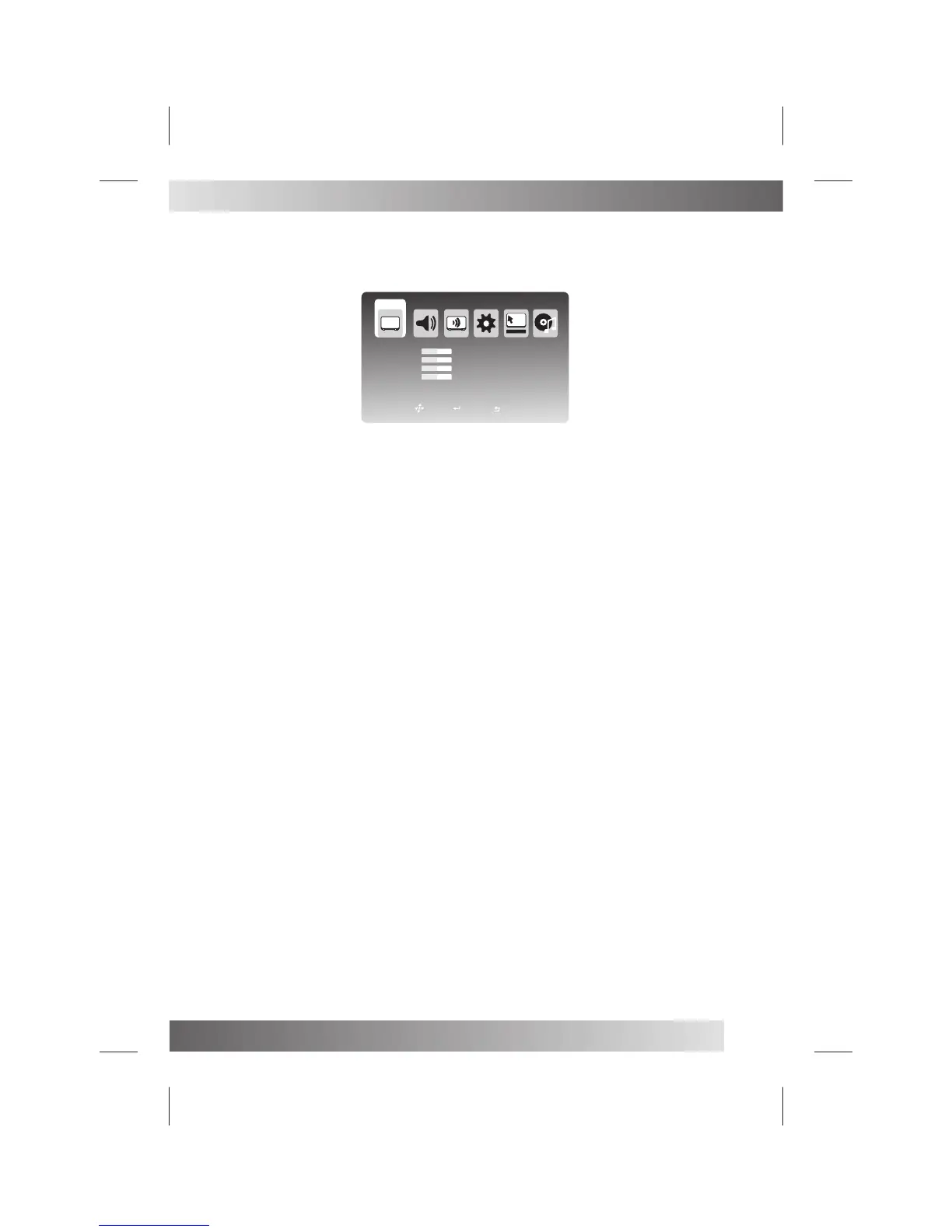
Video Menu
Press MENU button on the front of panel or MENU on the remote control to display the main menu.
Press ◄ / ► button to select Video in the main menu, then press OK button or ▼ button to enter.
1. Press ▼ / ▲ /◄ / ► button to select the entry that you want to adjust.
2. Press OK button to enter and press ◄ / ► button to adjust or press ▼ / ▲ button to select.
3. After finishing your adjustment, Press MENU or EXIT button to save and return back to the previous menu.
Brightness : Press ▼ / ▲ / ◄ / ► button to select Brightness, then press OK button to enter and press ◄ /► button to
adjust.
Contrast : Press ▼ / ▲ / ◄ / ► button to select Contrast, then press OK button to enter and press ◄ / ► button to
adjust.
Saturation : Press ▼ / ▲ / ◄ / ► button to select Saturation, then press OK button to enter and press ◄ / ►button to
adjust.
Sharpness: Press ▼ / ▲ / ◄ / ► button to select Sharpness, then press OK button to enter and press ◄ / ►
button to adjust
Picture Mode
Color Temp
NR(Noise Reduction)
MPEG NR
Cinema Mode
Press ▼ / ▲ / ◄ / ► button to select Picture Mode, then pressOK button to enter and press ▼ / ▲ button to select.
(Available picture mode: Custom, Standard, Mild, Vivid)
Press ▼ / ▲ / ◄ / ► button to select Color Temp, then press OK button to enter and press ▼ / ▲ button to select.
(Available color temp: Cold, Normal, Warm)
Press ▼ / ▲ / ◄ / ► button to select NR, then press OK button to enter and press ▼ / ▲ button to select.
(Available NR: Off, Low, Medium, High)
Press ▼ / ▲ / ◄ / ► button to select MPEG NR, then press OK button to enter and press ▼ / ▲ button to select.
(Available MPEG NR: Off, Low, Medium, High)
Press ▼ / ▲ / ◄ / ► button to select Cinema, then press OK button to enter and press ▼ / ▲ button to select.
(Available Cinema: Off, Low, Medium, High)
You can press PMODE button on the remote control to select the Picture Mode directly.
Brightness
Contrast
Saturation
Sharpness
50
50
50
50
Picture Mode
Color Temp
NR
MPEG NR
Cinema Mode
Custom
Normal
Medium
Low
Low
VIDEO
Move
Exit
Select


 To Next Page