5
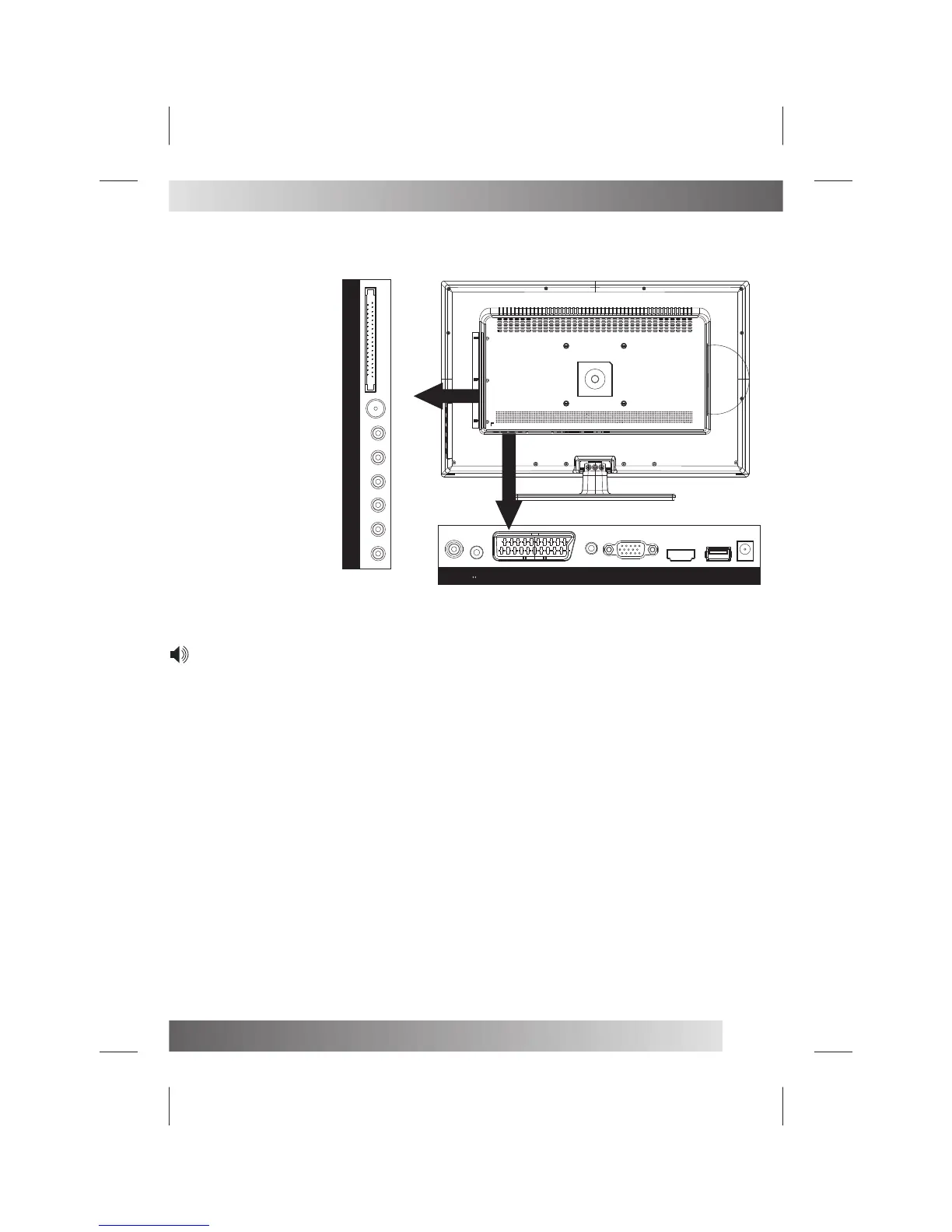
EARPHONE
ANT.
SPDIF
PC-A IN.
VGA
USB
HDMI
YPbPr
RCA
SCART
DC IN 12V
CI
ANT.Pr
Pb
Y LR
VIDEO
VGA
DC-12VUSBHDMI
SCART
COAX
PC-AIN .
Rear View Of TV Set
NOTE:
Precautions when connecting to other equipment
When using external equipment with this TV set, please read the instruction manual of the external equipment.
Switch off all power supplies to the equipment and TV set before connection.
Always ensure that the input and output terminals are correctly connected.
The UPDATE terminals just use to update the system software.


 To Next Page