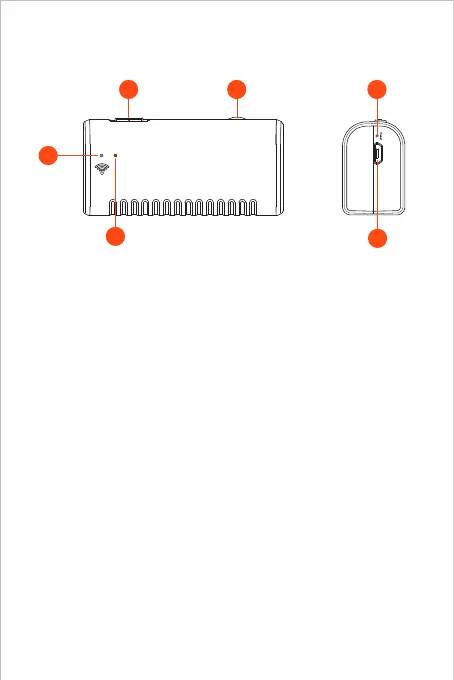
Product Structure
1. Power Button ON/OFF
2. Camera LEDs dimmer:
Roll to control the brightness of the camera LEDs
3. WiFi signa indicator:
Blue LED falsh: Ready to pair
Blue LED stay on: Connect successfully
4. Power indicator:
Red LED stay on: Power system work normally
Red LED flash: Low battery
Green LED stay on: Charging status
5. Reset Button:
Long press the reset button for 4-7s and then release it, the
WiFi and power indicator will turn off and restart, and the
product will restore to factory settings.
6. Micro-USB charging port
1 2 5
6
3
4



 To Next Page