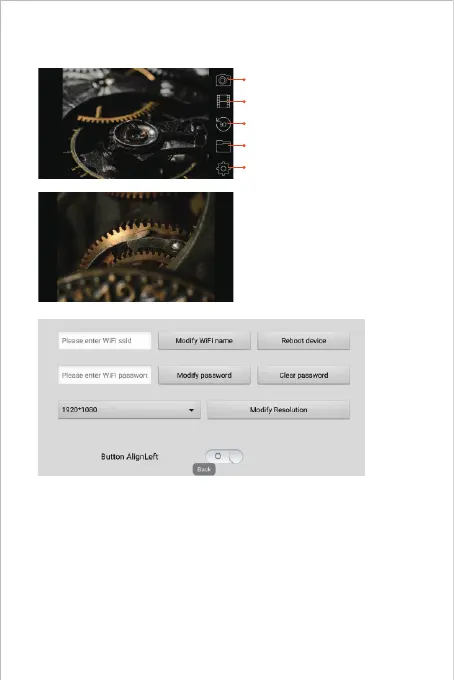
APP
Photo Shoot Button:
Click it to take photos
Button Hiding Function:
Click the screen to wake up/ Hide
buttons.
You can reset the WiFi name/password once you have got the smart device
connected with the endoscope.
Reset WiFi name: Click it to enter WiFi name
Reset WiFi password: Click it to enter WiFi password
Resolution: Click it to switch the resolution
After setup, please remember to click “Modify WiFi name/password/resolution” button.
Note:
We wouldn’t recommend our customers to modify the Wi-Fi SSID/Password.
Which may do disadvantages for next usage. (Once you’ve forgotten the modified
Wi-Fi SSID/ Password) So you’d better write down the modified Wi-Fi SSID/Password
if you have to do it.
Setting Button:
Click it to go to Settings
Gallery Button:
Click it to view photos/Videos
Rotation Button:
Click it to rotate the image 90° degrees
Video Record Button:
Click to start/End a video record



 To Next Page