Shenzhen Dericam Technology Co., Ltd. User Manual V1.0.5
Email: support@dericam.com Website: www.dericam.com
22
Setting, Email Setting, FTP Setting, System Setting and Device Information. The detail settings
will be explained in next chapter.
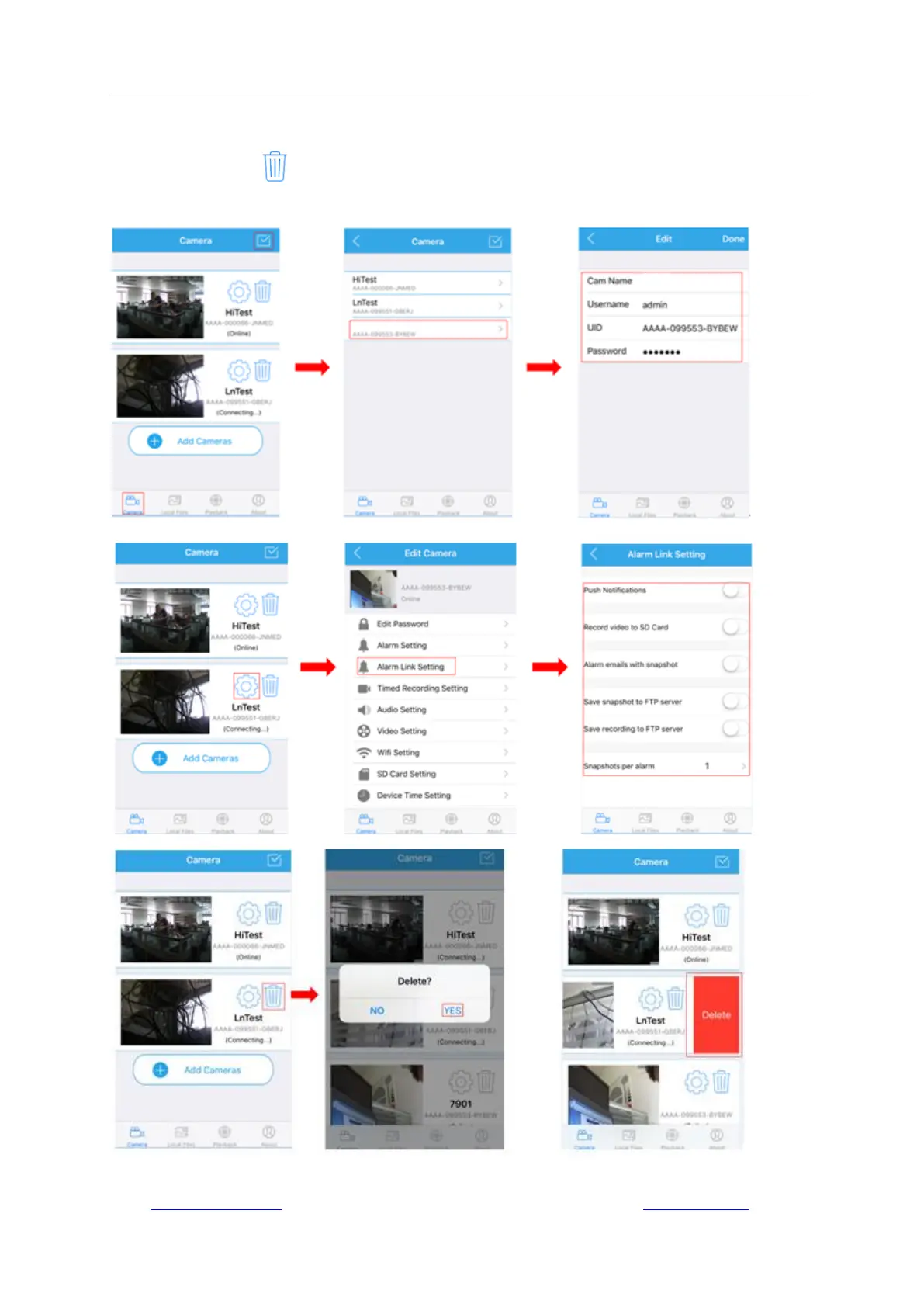
-Click the trash icon to delete the camera you want. On iOS devices, you can also make it by
sliding the camera from right to left.



 To Next Page