Shenzhen Dericam Technology Co., Ltd. User Manual V1.0.5
Email: support@dericam.com Website: www.dericam.com
33
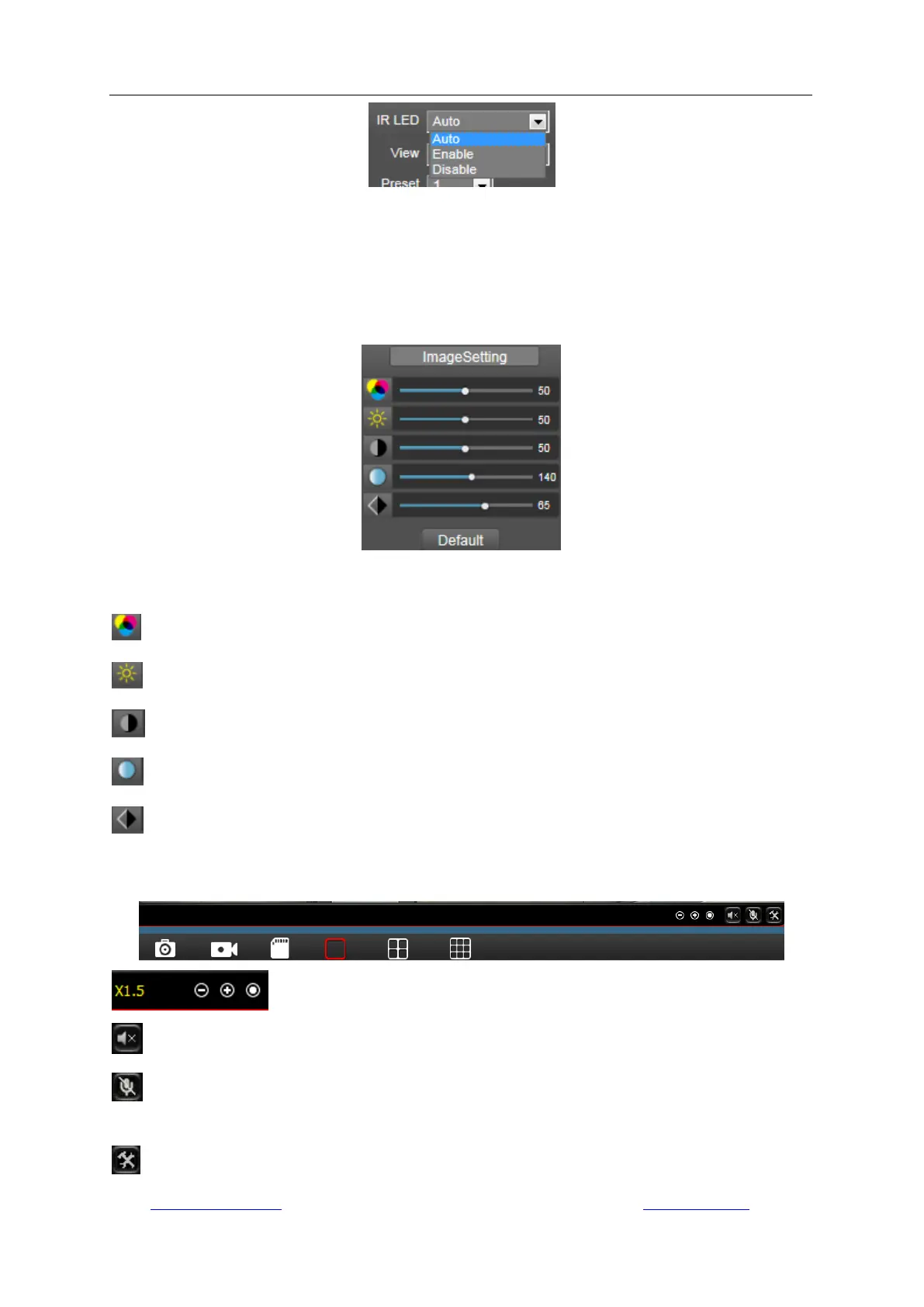
Enable: Make the camera work at night vision mode; the video will be always in black/white.
Disable: Make the camera work at day mode; the video will be always in color.
Auto: Make the camera work at automatic mode and the video color will switch automatically
according the change of environment light.
5.2.6 Image Settings
You can set the color parameters for the video image in this “Image Setting”, such as Hue,
Brightness, Contrast, Saturation, and Sharpness.
: Hue.
: Brightness.
: Contrast.
: Saturation.
: Sharpness.
5.2.6 Tool bar
: Zoom In/Out/Back to original size, 1x/1.5x/2x/3x.
: Open/Close the audio (not applicable on some models).
(Only available on IE/Firefox browser on windows OS): Enable/Disable speaker for talk
(not applicable on some models).
(Only available on IE/Firefox browser on windows OS): Set the storage path for the



 To Next Page