Shenzhen Dericam Technology Co., Ltd. User Manual V1.0.5
Email: support@dericam.com Website: www.dericam.com
27
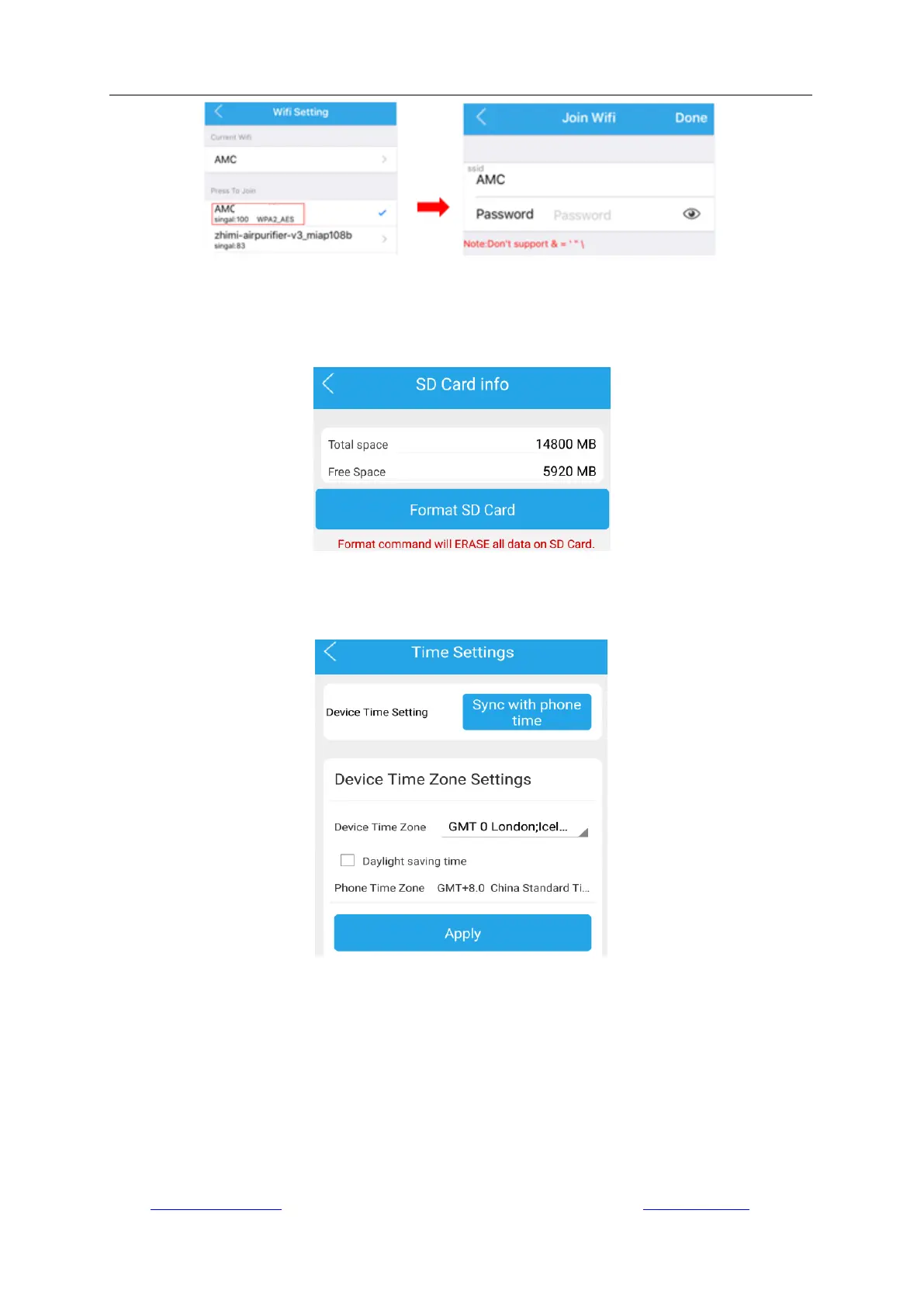
4.4.8 SD Card Settings
Go to “Camera Setup” -> “SD Card Setting” to check the usage status of the SD card, and you can
format the SD card.
4.4.9 Device Time Settings
Go to “Camera Setup” -> “Device Time Settings” to configure the time and time zone as local.
4.4.10 Email Settings
Go to “Camera Setup” -> “Email Settings” to configure the parameters that allow the Dericam App
to sign in your email account for sending alarm messages with snapshot about motion detection.
After configuration, please test and then apply the settings. It will prompt “success” if the test
passed.



 To Next Page