Shenzhen Dericam Technology Co., Ltd. User Manual V1.0.5
Email: support@dericam.com Website: www.dericam.com
39
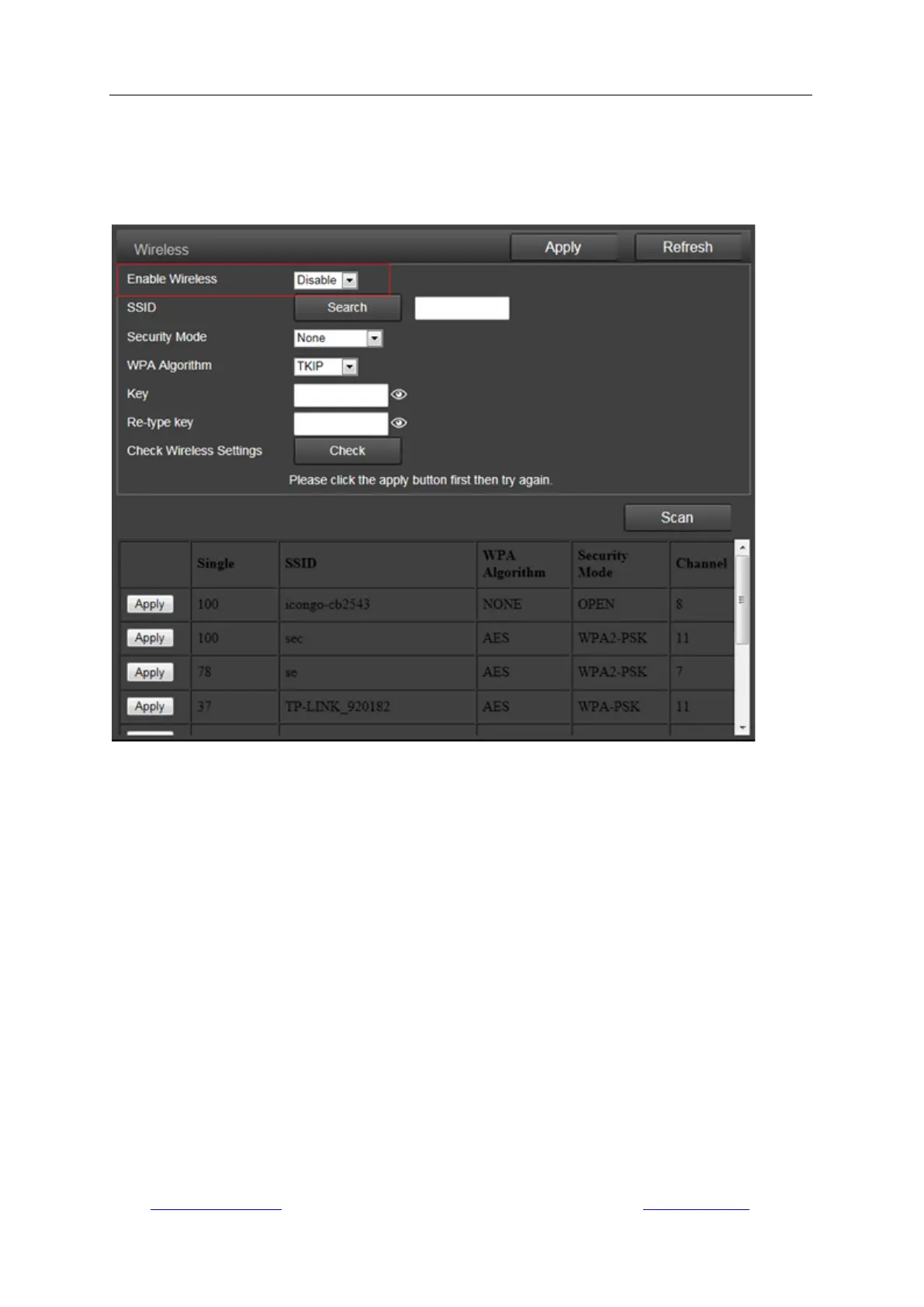
2) Wireless
On this page you can search the WIFI AP available for your camera to connect, then select and
apply the one you want to connect from the list. Please ensure to enable Wireless first.
If you want to check whether the WiFi setup is correct and can be proved by the camera, click the
button “Check” after you save your settings.
Note: The Dericam camera works at wired connection with Ethernet cable as factory default, so
you should plug out the Ethernet cable to make it work at Wi-Fi connection after passing the
wireless setup.
3) DDNS
DDNS setup is mainly for remotely accessing the camera. You can use a third-party DDNS like
Dyndns.org/3322.org/dynddns.us/No-ip.com and UPnP service with your camera. You can get the
WAN IP address of your network your camera works on by click the “Query” button.



 To Next Page