Shenzhen Dericam Technology Co., Ltd. User Manual V1.0.5
Email: support@dericam.com Website: www.dericam.com
41
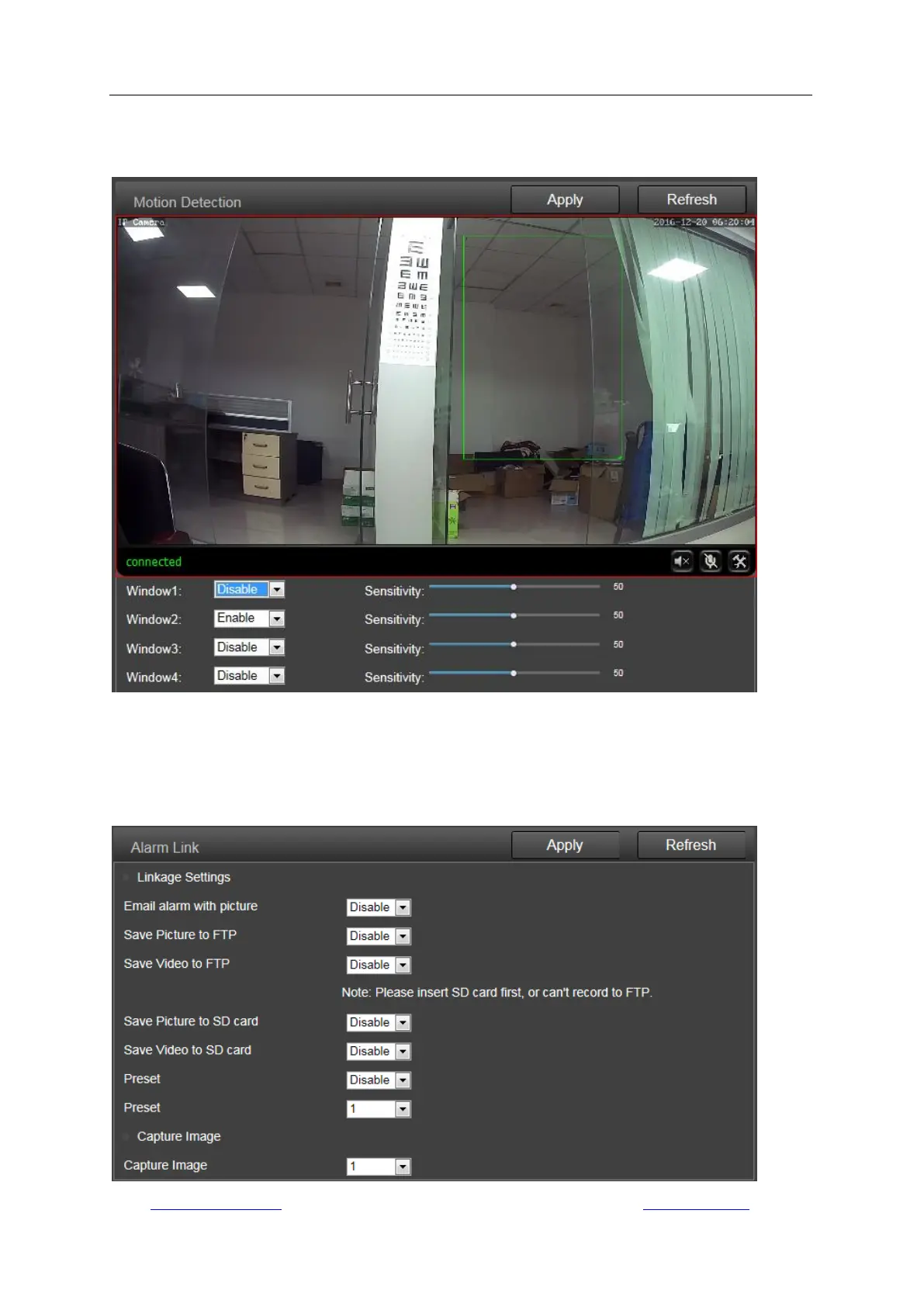
You can enable or disable each of the area, or change the size of each area by dragging the edge
on the bottom right corner of the green square, or change the position by dragging the selected
green square.
3) Alarm Link
On this page you can enable or disable sending alarm emails with snapshots, choose the saving
path (SD card, FTP server) and set up preset positions for motion detection (only for Pan/Tilt
camera) once the alarm triggered.


 To Next Page