EasyManua.ls Logo

Detector PC2003 - Page 6

Default Icon
16 pages
Print Icon
To Next Page IconTo Next Page
To Previous Page IconTo Previous Page
Loading...
Programming Manual
PC 2003 Amplifier
English
Page 5/14
PROPC2003EN – Index A
V V
V
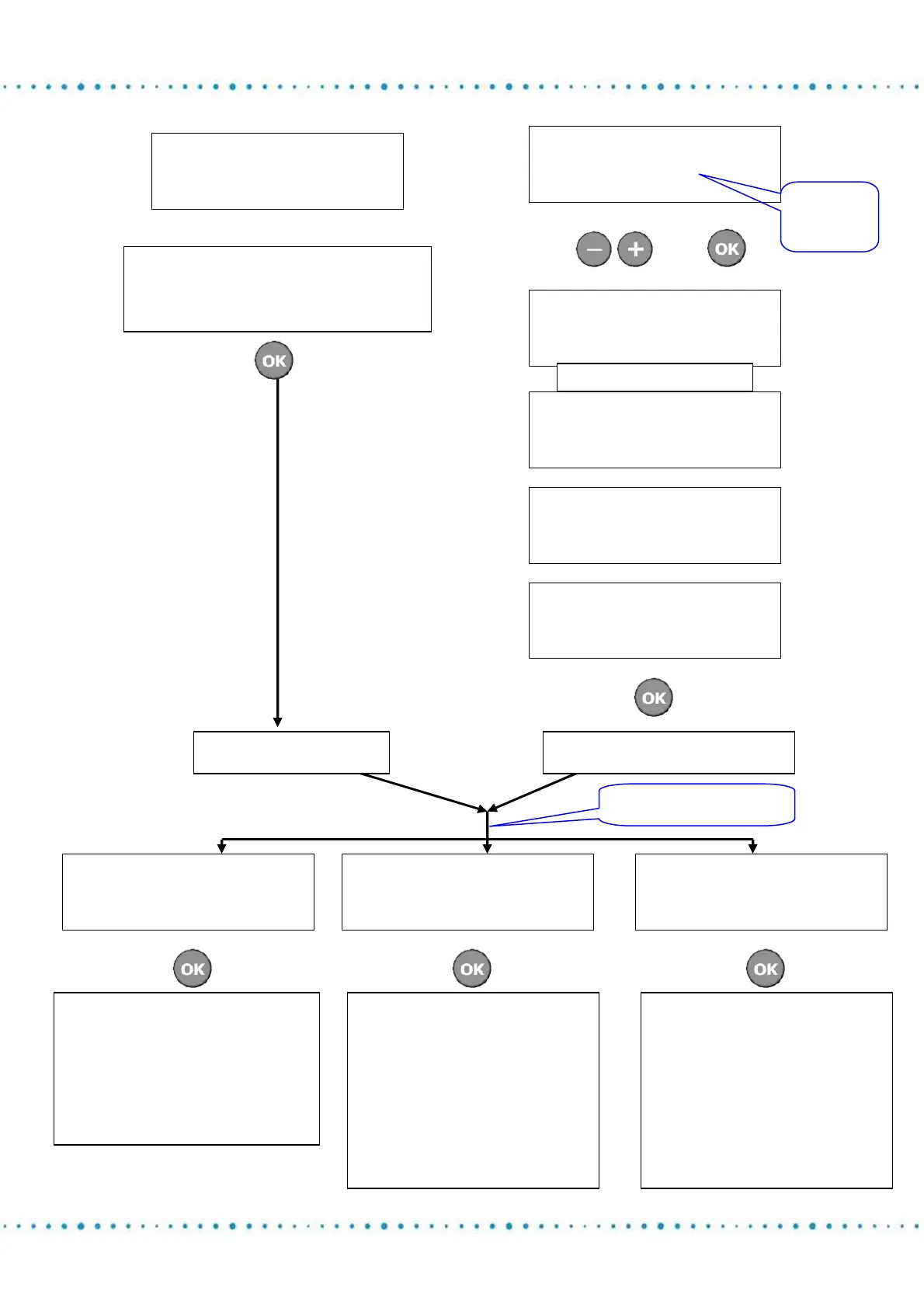
REFERENCE ADJUST
CHANNEL 1 IN MANUAL:
SENSOR +0.386mm
VALIDATE BY OK
This screen shows the instantaneous
value of the sensor to adjust the sensor’s
reading between 0.3 and 0.5mm.
REFERENCE ADJUST
CHANNEL 1 IN AUTO:
2 SAMPLE(S)
VALIDATE BY OK
Define the
number of
samples.
V
then
V
REFERENCE ADJUST
CHANNEL 1 IN AUTO:
START MACHINE CYCLE
Start machine
REFERENCE ADJUST
CHANNEL 1 IN AUTO:
1 SAMPLE(S)
OUT OF 2
V
REFERENCE ADJUST
CHANNEL 1 IN AUTO:
2 SAMPLE(S)
OUT OF 2
V
MAX 0.341mm
AVERAGE 0.336mm
MIN 0.332 mm
VALIDATE BY OK
V
V
REFERENCES CHANNEL 1
->
REAL DIMENSION
ZERO DIMENSION
NOM DIMENSION
V
REFERENCES CHANNEL 1
REAL DIMENSION
->
ZERO DIMENSION
NOM DIMENSION
V
REFERENCES CHANNEL 1
REAL DIMENSION
ZERO DIMENSION
->
NOM DIMENSION
V
The
real dimension
corresponds to the sensor
value which you adjusted in
the previous page:
+0.386mm remains
displayed
Select the display
type.
The
zero dimension
corresponds to the
difference with the real
dimension reset to zero:
+0.386mm becomes
0.000mm. A measured part
of 0.390mm will be
displayed+0.004mm
The
nom dimension
allows replacing the real
dimension by a nominal
dimension on your
drawings. Example:
19.500mm. A measured
part of 0.390mm will be
displayed as 19.504mm
Manua
l
reference
Automatic Re
f
erence