GB-12
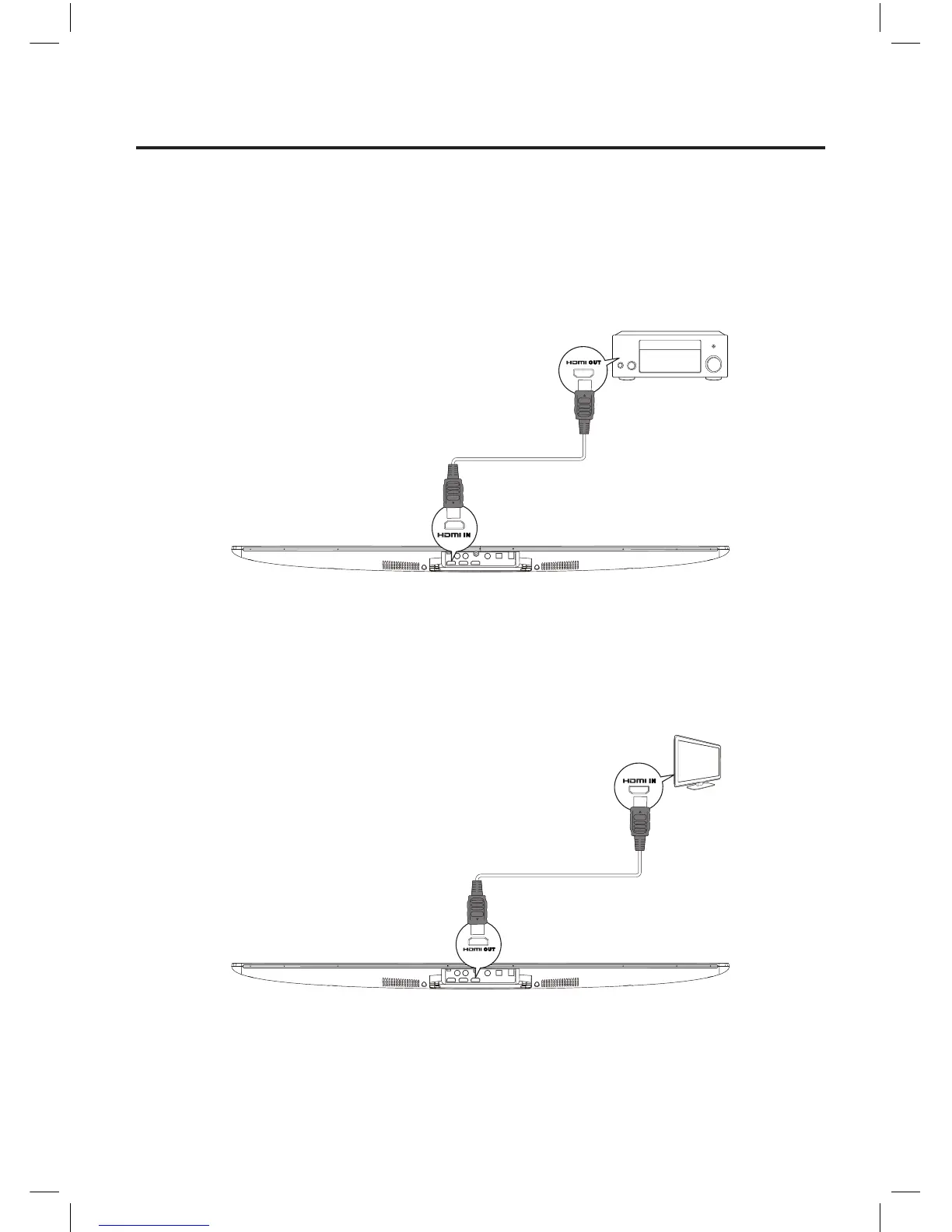
Connecting the HDMI jack
Connect the HDMI cable to the HDMI IN jack on this product and the display device (or an TV, AV
receiver/amplier). This may take a few minutes, player and display device setting up and playback
automatically.
Connect the HDMI cable to the HDMI OUT jack on this product and the display device (or an TV, AV
receiver/amplier) to output sounds. This may take a few minutes, player and display device setting
up and playback automatically. (see the device user manual).
OUT
IN
Unit
OUT
IN
Unit
Connections
Caution: Make all connections before plugging the unit into the AC Power outlet.
NE8006HW(SBS-200)_GB_41014751_20140604.indd 12 2014-6-4 16:15:05


 To Next Page