GB-15
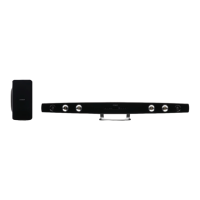
Pairing the Wireless Sub-Woofer with the Soundbar
The Sub-Woofer and Soundbar should automatically pair when both units are plugged into the
mains socket and turned on. There is no cable needed to connect the two.
Manual Pairing
If both units fail to pair, please follow the steps below:
1. Press STANDBY ot switch the Soundbar to standby mode.
2. Press and hold MUTE on the remote control until the red LED indicator on the Soundbar blinks.
3. Press and hold the RESET button on the back of the Sub-Woofer untilt the LED indicator on the
Sub-Woofer blinks, alternating between red and blue.
* The LED indicator on the Sub-Woofer will rapidly blink when pairing and will become solid
blue when successful. The LED indicator on the Soundbar will become solid red.
* If the pairing fails, the LED indicator on the Sub-Woofer will keep blinking in red.
* If the Sub-Woofer does not turn on with the Soundbar, unplug both units from the mains, then
plug them in again and turn on the Soundbar.
NE8006HW(SBS-200)_GB_41014751_20140604.indd 15 2014-6-4 16:15:06


 To Next Page