GB-16
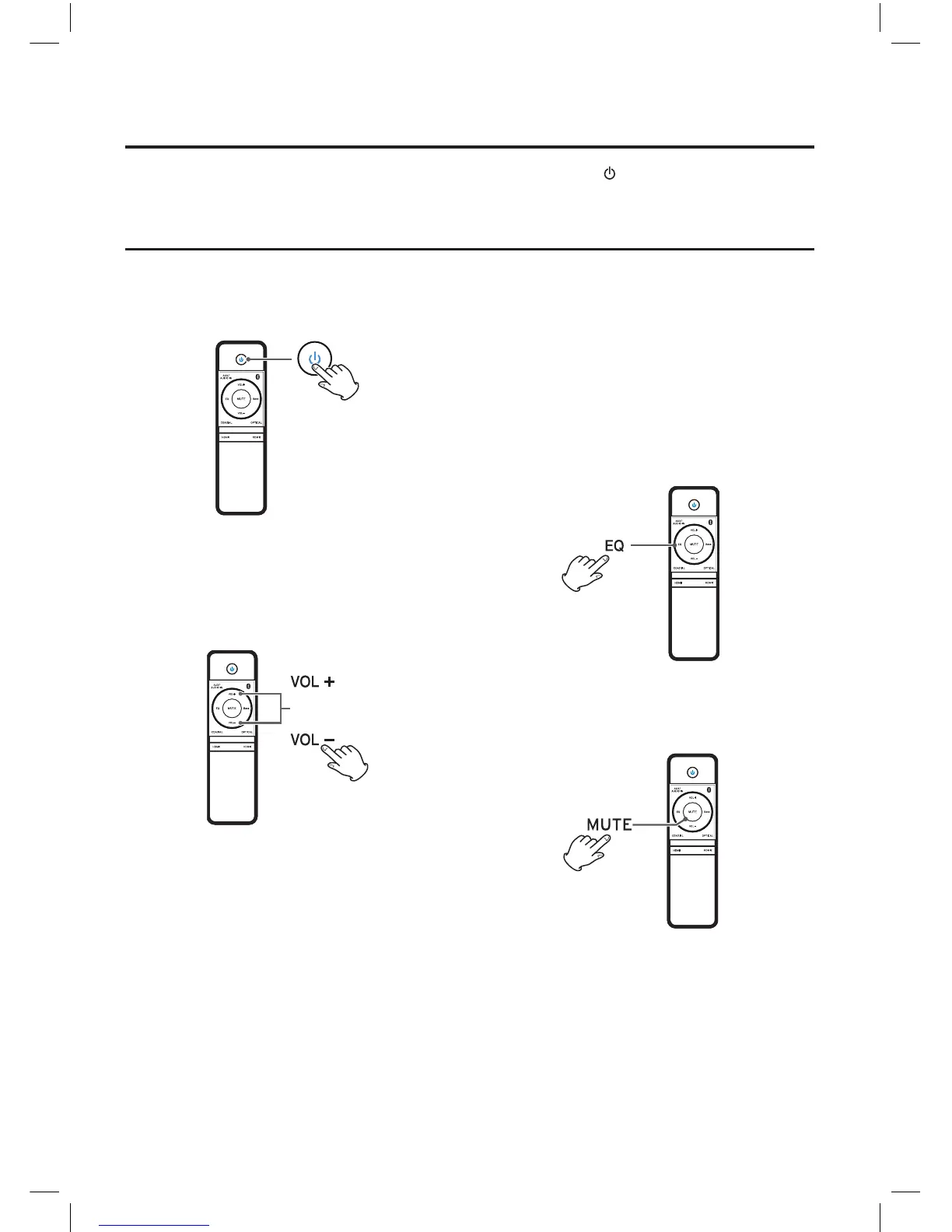
1. Press the STANDBY button to turn the unit
on.
* The unit turns on with the source that was
last selected.
2. Play the source, and adjust the volume using
the VOL +/- buttons.
Each time the VOL +/- buttons is pressed
, the
blue indicator on display panel begins to blink
until to the minimum/maximum value limited.
Basic Operation
ECO-Power/Standby Features
This unit features a ECO-Power/Standby mode. Press the STANDBY button on the remote control
or on the unit to enter standby mode. To save energy consumption.
Equalizer
You can adjust the sound according to the genre
of the music your taste.
During play, press EQ button repeatedly to
select:
Optimizer-->Flat --> Pop --> Jazz --> Rock -->
Classic
Mute
You can mute the sound temporarily.
If you change the volume or source when the
sound is muted, muting is cancelled.
NE8006HW(SBS-200)_GB_41014751_20140604.indd 16 2014-6-4 16:15:07


 To Next Page