Vianect AIR Manager 17
devolo Vianect AIR TV
4 Vianect AIR Manager
The devolo Vianect AIR Manager monitors all reacha-
ble Vianect AIR TV stations and shows their connection
status.
After successful installation, call up the program via
the devolo Vianect AIR Manager link created on
the desktop or by clicking in the Windows tool-
bar.
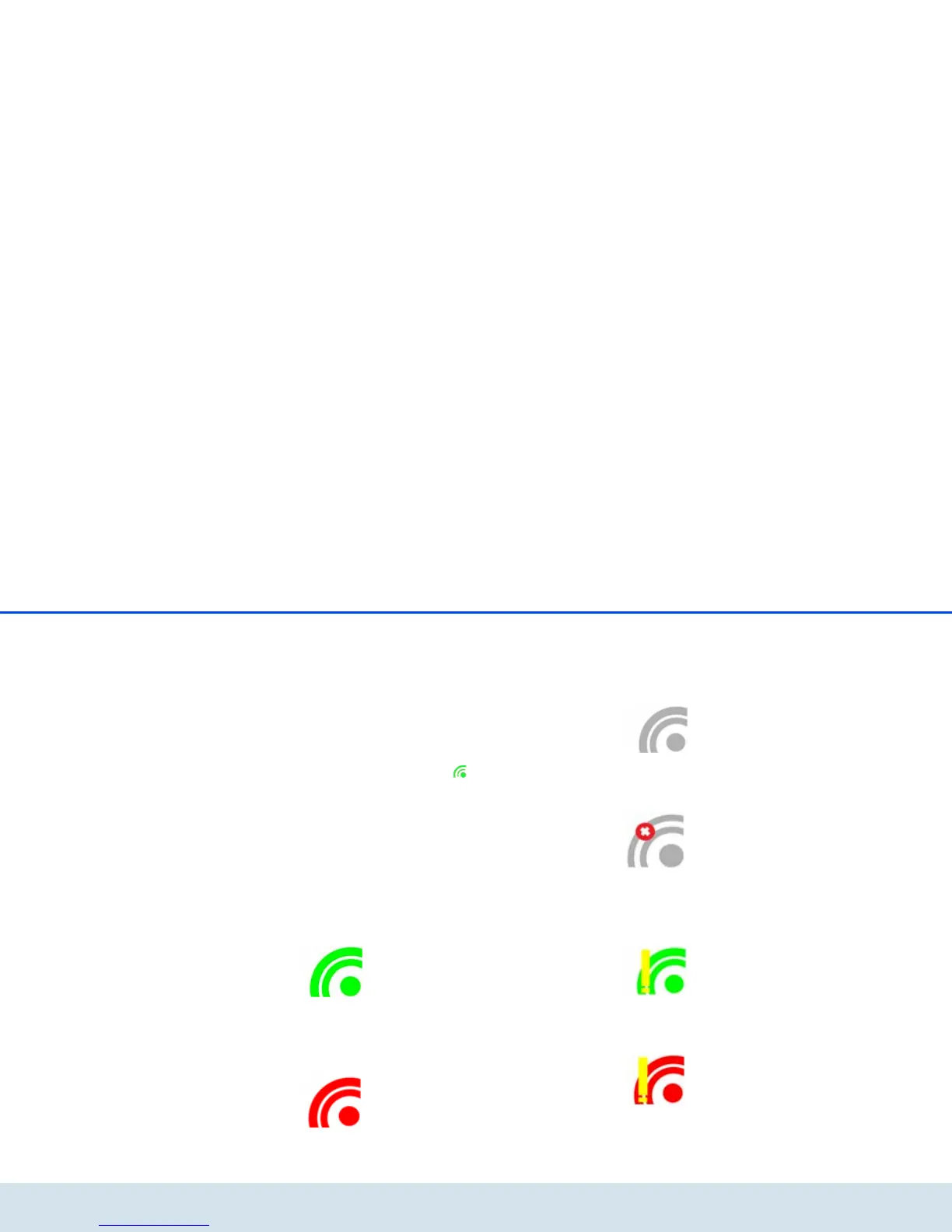
The appearance of the icon changes to provide infor-
mation about the current connection status of the de-
vices:
Connected
The wireless connection to the Vianect AIR TV station
exists.
The Vianect AIR computer adapter is switched on.
The computer adapter is switched on and connected to
the computer; no wireless connection exists.
The Vianect AIR computer adapter is not plugged
in.
The computer adapter is not connected to the compu-
ter.
The Vianect AIR computer adapter is switched off.
The computer adapter is without power.
The wireless channel is occupied.
Low connection quality; despite this, a Vianect AIR TV
station is connected.
The wireless channel is not available.
No available channel is found.













 To Next Page