29 Initial use
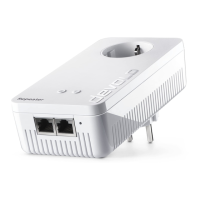
devolo WiFi 6 Repeater 3000
3.5 Removing a WiFi 6
Repeater 3000 from the net-
work
To remove a WiFi 6 Repeater 3000 from your net-
work and successfully restore its entire configura-
tion to the factory defaults, press the Reset button
for longer than 10 seconds. Wait for the dot in the
Wi-Fi symbol to be lit green and then disconnect
the adapter from the power grid.
Keep in mind that all settings that have already
been made will be lost!
To integrate it into another network after this, pro-
ceed as described in this chapter.
WiFi_6_Repeater_3000.book Seite 29 Freitag, 3. Juni 2022 2:06 14



 To Next Page