EasyManua.ls Logo

DeWalt DXAEC801B - User Manual

DeWalt DXAEC801B
30 pages
Print Icon
To Next Page IconTo Next Page
Loading...
INSTRUCTION MANUAL
GUIDE D’UTILISATION
MANUAL DE INSTRUCCIONES
If you have questions or comments, contact us.
Pour toute question ou tout commentaire, nous contacter.
Si tiene dudas o comentarios, contáctenos.
1-888-394-3392
BC
RD110420
DXAEC801B/DXAEC801BCA
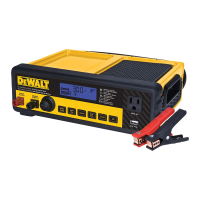
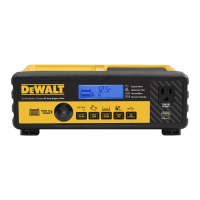
30A Bench Battery Charger with 80A Engine Start
30A banc chargeur de batterie avec 80A démarrage moteur
30A cargador de batería banco con 80A arranque del motor
DXAEC801B_DXAEC801BCA_ManualENFRSP_080320.indd 60-1 11/04/20 10:29 AM
Español
Fabricado e importado por Baccus Global LLC,
621 NW 53rd St., Suite 450, Boca Raton, FL 33487
www.dewalt12volt.com 1-888-394-3392
Hecho en China
Derechos Reservados © 2020 Baccus Global, LLC. DeWALT
®
y
el logotipo son marcas comerciales de DeWALT el DeWALT
Industrial Tool Co., o una filial de la misma y se utilizan bajo
licencia. El esquema de color amarillo y negro es una marca
comerciale de herramientas y accesorios de DeWALT. 33487
www.dewalt.com

Questions and Answers

  • M
    Meredith TorresJul 30, 2025
    What to do if DeWalt Battery Charger unit fails to charge?
    • J
      James CrawfordJul 30, 2025
      If the unit fails to charge, first verify that the charger is properly connected to a live 120 volt AC outlet. Also, ensure a proper polarity cable connection has been established. Note that if the battery to be charged has fallen below 2 volts, it cannot be recharged with this charger.
  • R
    Richard MckeeAug 9, 2025
    How to fix DeWalt DXAEC801B USB Port if it will not power appliance?
    • G
      gail26Aug 9, 2025
      If the USB Port is not powering the appliance, ensure the USB Power Button is turned on. Check that the USB Power/Fault Indicator lights solid blue; if it flashes, there's a fault. Also, ensure the USB device's power draw doesn't exceed 5V/3.1A. Some USB-powered electronics may not be compatible with this USB charging/power port, so check the electronic device's manual.
  • P
    pachecoallenAug 18, 2025
    What to do if AC Pass Through will not power appliance DeWalt DXAEC801B Battery Charger?
    • J
      james75Aug 18, 2025
      If the AC Pass Through is not powering your appliance, first ensure the battery charger is properly connected to a live 120 volt AC outlet. Then, confirm the appliance is correctly connected to the AC Pass Through and is turned on. Verify that the total power draw of the appliance does not exceed 700W. Finally, check the fuse inside the fuse holder at the back of the unit and replace it with the same type and size (250V / 6A) if it is blown.

Summary

Safety Guidelines and Important Instructions

Important Safety Instructions

Provides essential safety instructions for operating the battery charger and related equipment.

Specific Safety Instructions

Power Cords Safety

Details on safe handling and use of power cords, including extension cord recommendations.

Battery Chargers Safety

Crucial safety warnings and precautions specific to charging lead-acid batteries.

Charging Operations

Preparing to Charge

Steps and precautions before starting the battery charging process.

Charging the Battery

Detailed instructions on how to connect and charge a battery, including status indicators.

Specialized Functions and Care

Starting the Engine

Instructions for using the engine start function, including countdown and post-crank charging.

Maintenance, Troubleshooting, and Support

Troubleshooting Common Issues

Identifies common problems with the unit and provides possible solutions for resolution.

DeWalt DXAEC801B Specifications

General IconGeneral
Input Voltage120V AC
CompatibilityDeWalt 20V MAX batteries
Product TypeBattery Charger
Voltage20V
Amperage4A
Charging Ports1
Charging Time (for 2.0Ah battery)30 minutes
Charging Time (for 5.0Ah battery)60 minutes
LED IndicatorsYes
Weight1.5 lbs
Battery TypeLithium Ion
FeaturesFast charging

Related product manuals