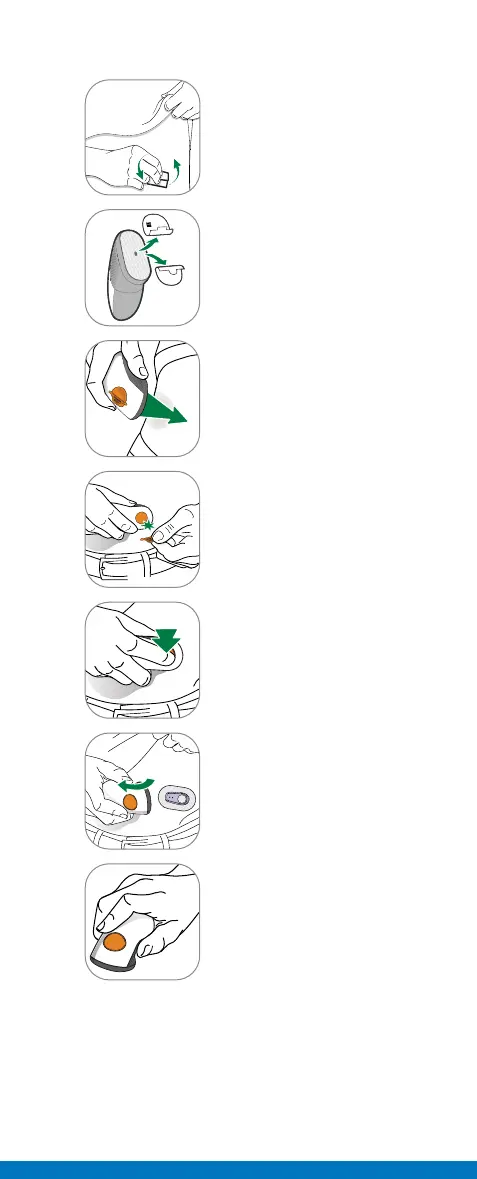
B. Insert Sensor
1
Wash hands and sensor site
with soap. Dry. Scrub sensor
site with alcohol wipe.
2
Peel off adhesive backings
from applicator. Do not
touch adhesive. Keep the
backings. They show your
sensor code.
3
Place applicator on skin
before breaking safety
guard.
4
Fold and break off safety
guard. Do not twist.
5
Press button to insert
sensor.
6
Remove applicator from skin
leaving patch and holder on.
7
Throw away applicator.
Follow local guidelines for
disposal of blood-contacting
components.



 To Next Page