31
2
Hardware Installation
Installing the DIM Module
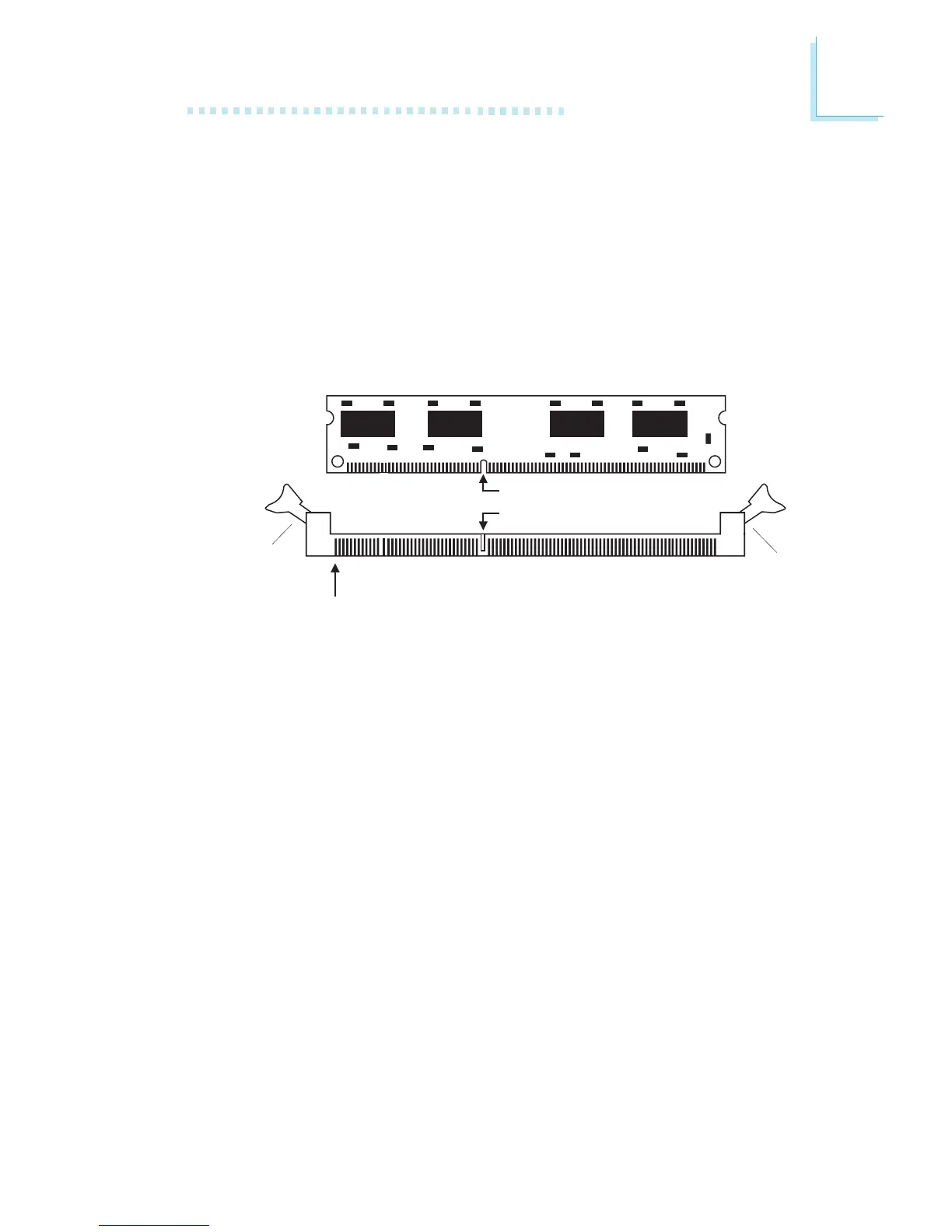
A DIM module simply snaps into a DIMM socket on the system
board. Pin 1 of the DIM module must correspond with Pin 1 of the
socket.
1. Pull the “tabs” which are at the ends of the socket to the side.
2. Position the DIMM above the socket with the “notch” in the
module aligned with the “key” on the socket.
3. Seat the module vertically into the socket. Make sure it is
completely seated. The tabs will hold the DIMM in place.
Pin 1
Notch
Key
Tab
Tab
BIOS Setting
Configure the system memory in the Genie BIOS Setting submenu
(“DRAM Configuration” section) of the BIOS.



 To Next Page