58
2
Hardware Installation
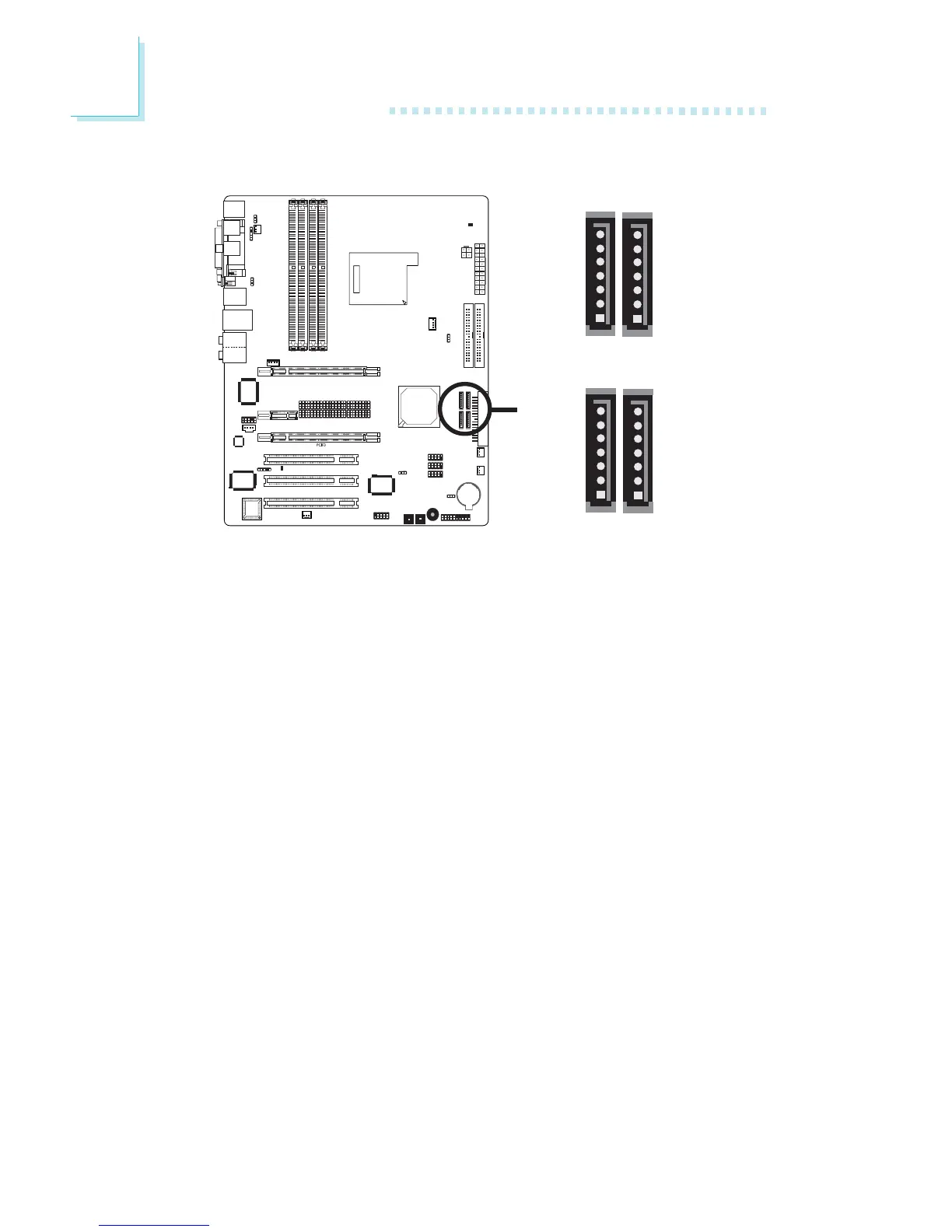
Serial ATA Connectors
• SATA speed up to 3Gb/s (INFINITY NF SLI-M2/G and INFIN-
ITY NF ULTRAII-M2 only)
SATA speed up to 1.5Gb/s (INFINITY NFII-M2 and INFINITY
NF4XII-M2 only)
• RAID 0, RAID 1, RAID 0+1 and JBOD
• NVIDIA RAID allows RAID arrays spanning across Serial ATA
and Parallel ATA
Connecting Serial ATA Cables
Connect one end of the Serial ATA cable to the Serial ATA connec-
tor and the other end to your Serial ATA device.
BIOS Setting
Configure Serial ATA in the Integrated Peripherals submenu
(“OnChip IDE Device” section) of the BIOS. Refer to chapter 3 for
more information.
Configuring RAID
The system board allows configuring RAID on Serial ATA drives.
Refer to chapter 6 for steps in configuring RAID.
X
SATA 2
(J13)
SATA 1
(J11)
SATA 3
(J2)
SATA 4
(J10)
1
7
GND
TXP
TXN
GND
RXN
RXP
GND
1
7
1
7
GND
TXP
TXN
GND
RXN
RXP
GND
1
7



 To Next Page