2
Hardware Installation
41
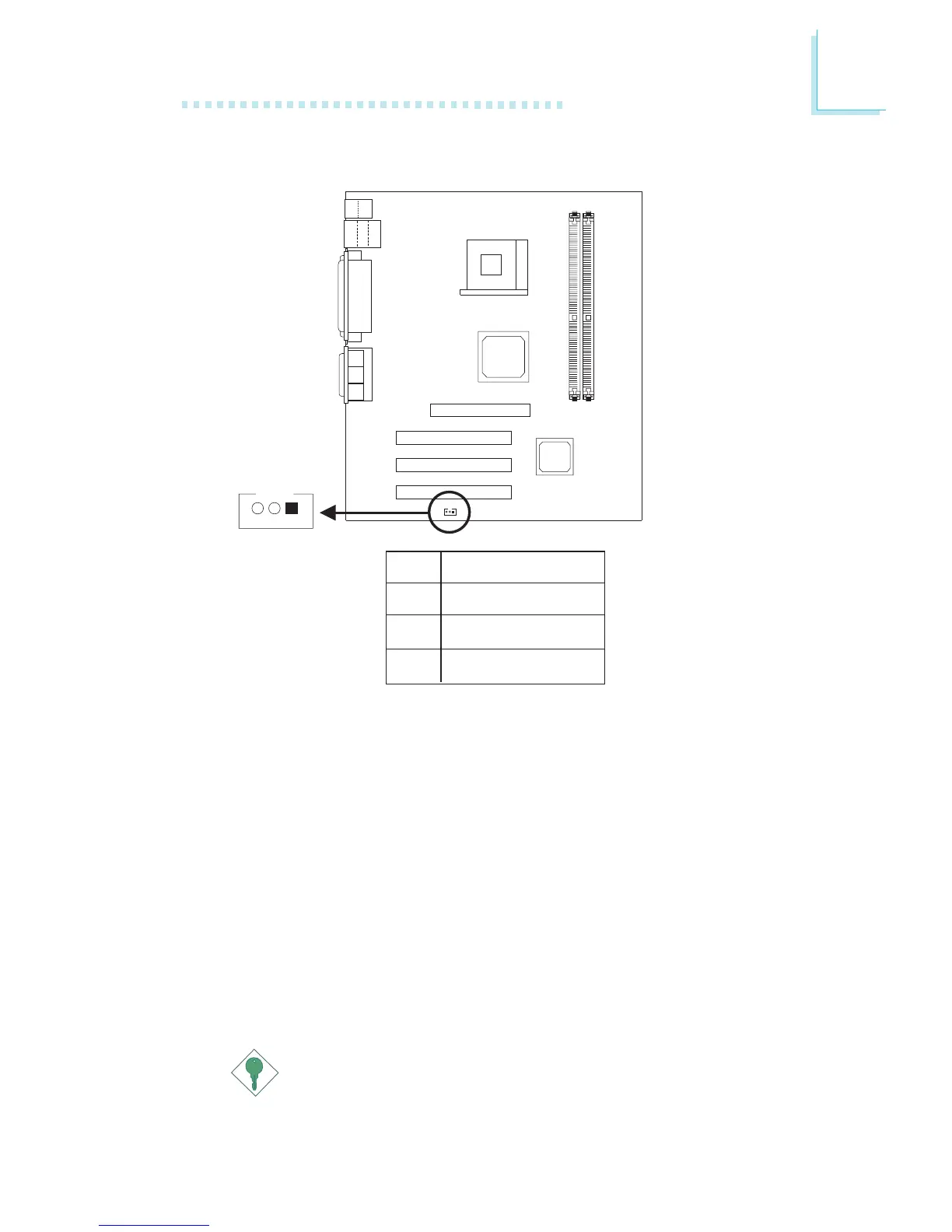
2.7.7 Wake-On-LAN Connector
Wake-On-LAN
(J5)
3
2
1
Pin
1
2
3
Function
+5VSB
Ground
WOL
The mainboard supports the Wake-On-LAN function. This function
will allow the network to remotely power-on a Soft Power Down
(Soft-Off) PC. However, if your system is in the Suspend mode, you
can power-on the system only through an IRQ or DMA interrupt.
To use the Wake-On-LAN function, you must enable “Resume on
LAN/Ring” in the Power Management Setup (“IRQ/Event Activity
Detect” field) of the BIOS. Your LAN card package should include a
cable. Connect one end of the cable to the wakeup header on the
card and the other end to location J5 on the mainboard. The
network will detect Magic Packet and assert a wakeup signal to
power-up the system. Refer to the add-in card’s manual for details.
Note: Your LAN card must support the remote wake up function.
Important:
The 5VSB power source of your power supply must support
≥
720mA.



 To Next Page