26
Memory Card Operation
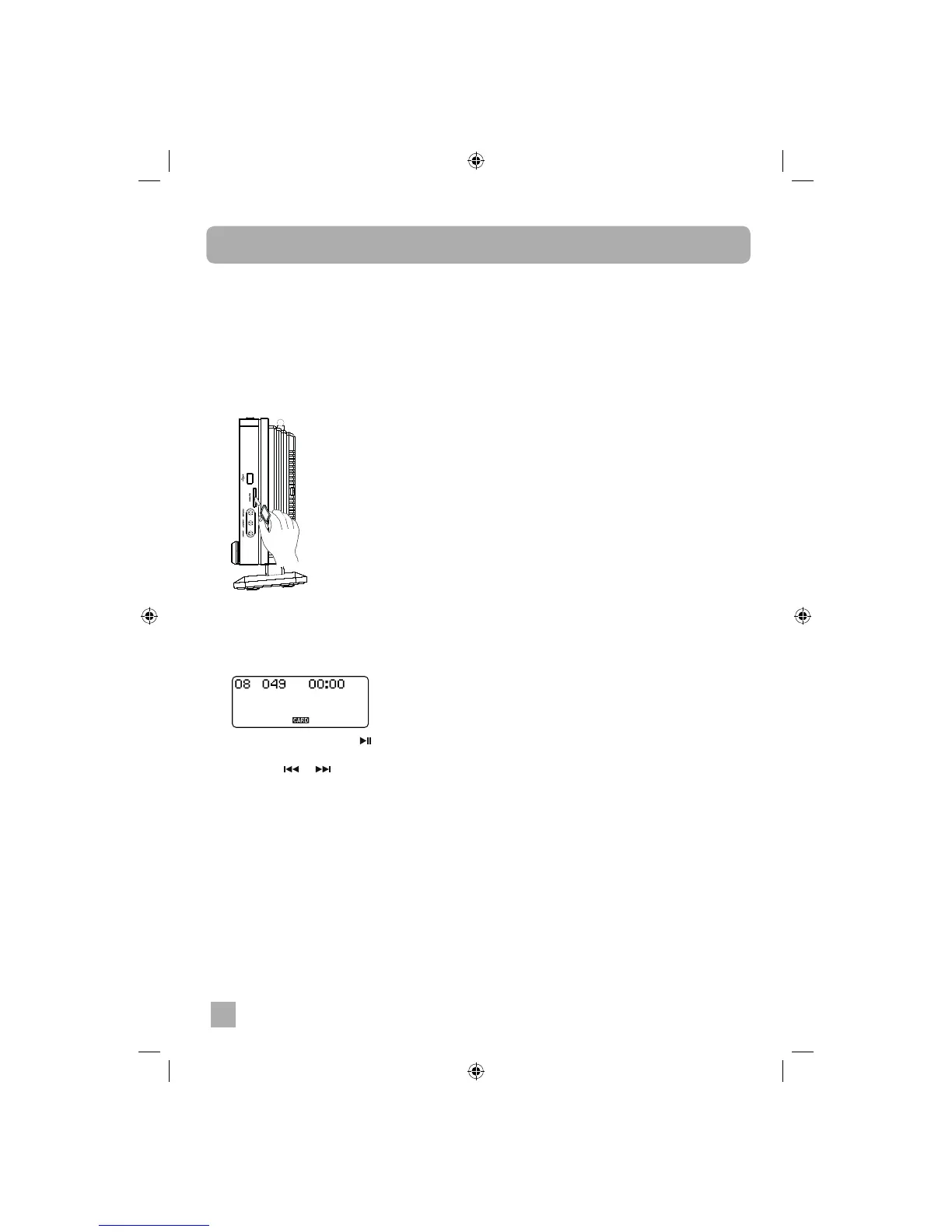
To play MP3/WMA audio les stored on SD/
MMC Memory Cards:
1. Press the FUNCTION button repeatedly until
the main display shows “CARD”.
2. Insert the SD or MMC fl ash memory card
containing MP3/ WMA audio fi les into the
card slot by gently pressing into position until
it locks in place. Cards can only be inserted
one way.
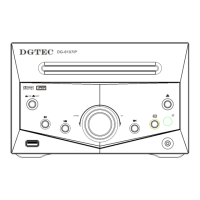
• The player will read the information on the
card and the display will show the total
number of fi les tracks and directories albums
on the card. For example “08” albums, “49”
tracks.
3. Press the PLAY/PAUSE button to begin
playback.
4. Press the or button to skip tracks.
5. Press FOLDER UP or DN buttons to skip
albums.
6. Press STOP button to stop playback at any
time.
NOTE:
The memory card slot on this system enables
playback of songs only in MP3 and WMA formats
(without DRM). It cannot play songs purchased
from iTunes or other songs in AAC format, songs
in ATRAC format or songs purchased from
some online music retailers. It may be possible
to convert your music to one of the playable
compressed formats, or burn it on to an audio
CD, depending on the DRM restrictions.


 To Next Page