31
Your DG-1008i comes from the factory
already paired and ready to communicate with
the two wireless speakers included in the box.
Additional speakers are available for purchase
from selected retailers and online. DGTEC’s
wireless technology can broadcast audio to up to
16 individual speakers, allowing you to hear and
control your music throughout the whole house.
NOTE:
• Pairing is necessary for the system to
communicate with any additional speakers
purchased.
• If any speaker ever becomes un-paired from
the wireless main unit, follow the steps below
to pair once again.
To pair speakers:
Make sure all the wireless speakers are in the
operating locations and connected to AC power.
Power ON the wireless main unit and the
wireless speakers.
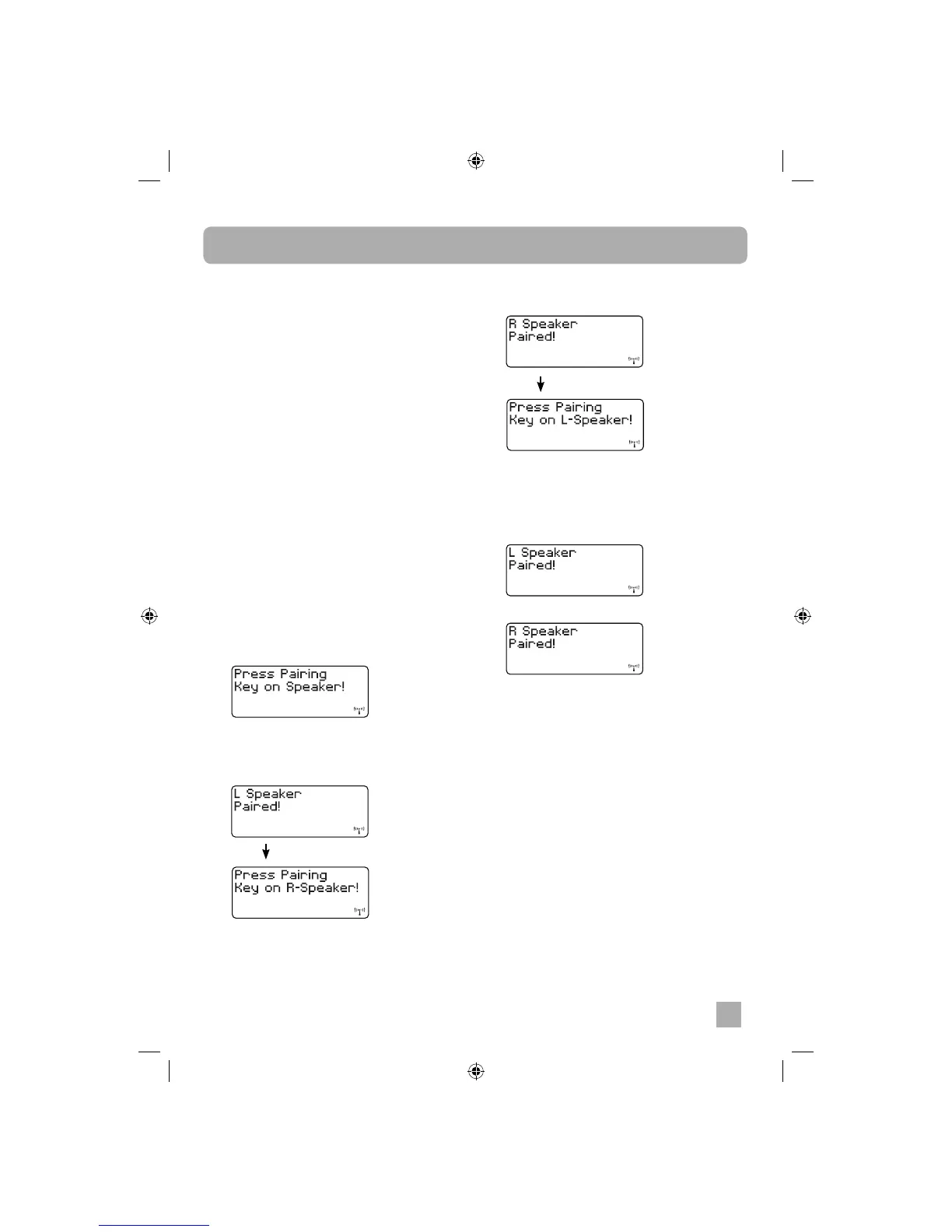
1. Press the PAIRING button on wireless main
unit front panel or on the remote control for
6 seconds until the display shows “Press
Pairing Key on Speaker!”
2. Press the PAIRING button on the Left
speaker or Right speaker control panel.
• If the left speaker the PAIRING button is
pressed:
Speaker Pairing and Adding Additional Speakers
• If the right speaker the PAIRING button is
pressed:
3. Press the PAIRING button on the speaker
remaining to be paired as guided by the
display. The second speaker pairing is
complete and confi rmation is shown on the
display.
or
shows for 3 seconds
shows for 3 seconds


 To Next Page