After Sales Support TEL:1800 189 941 9
ASSEMBLY AND PARTS LIST
HDMI
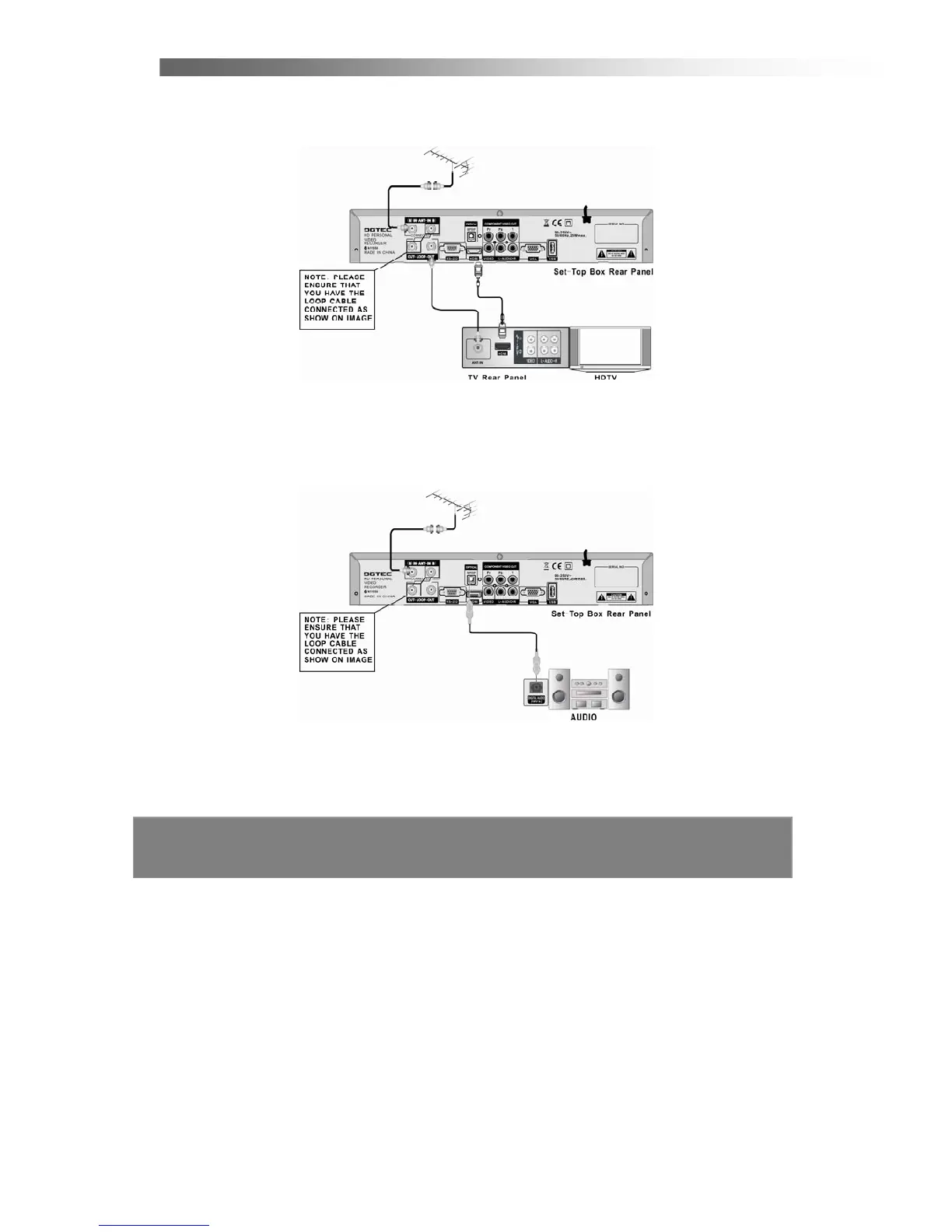
4. Connect the HDMI out connector on the PVR STB to the HDTV and
Audio-Amplifier using HDMI cable.
VIDEO
5. Connect the yellow video lead and AUDIO L/R (red and white lead) out
connectors on the PVR STB to the AV in on the back of the TV. Optional:
Connect Optical S/PDIF out connector on the HDTV STB to the Audio-Amplifier
using optical cable.
Note: Please ensure that your TV is set to the correct input channel depending
on your connection type.



 To Next Page