8
ASSEMBLY AND PARTS LIST
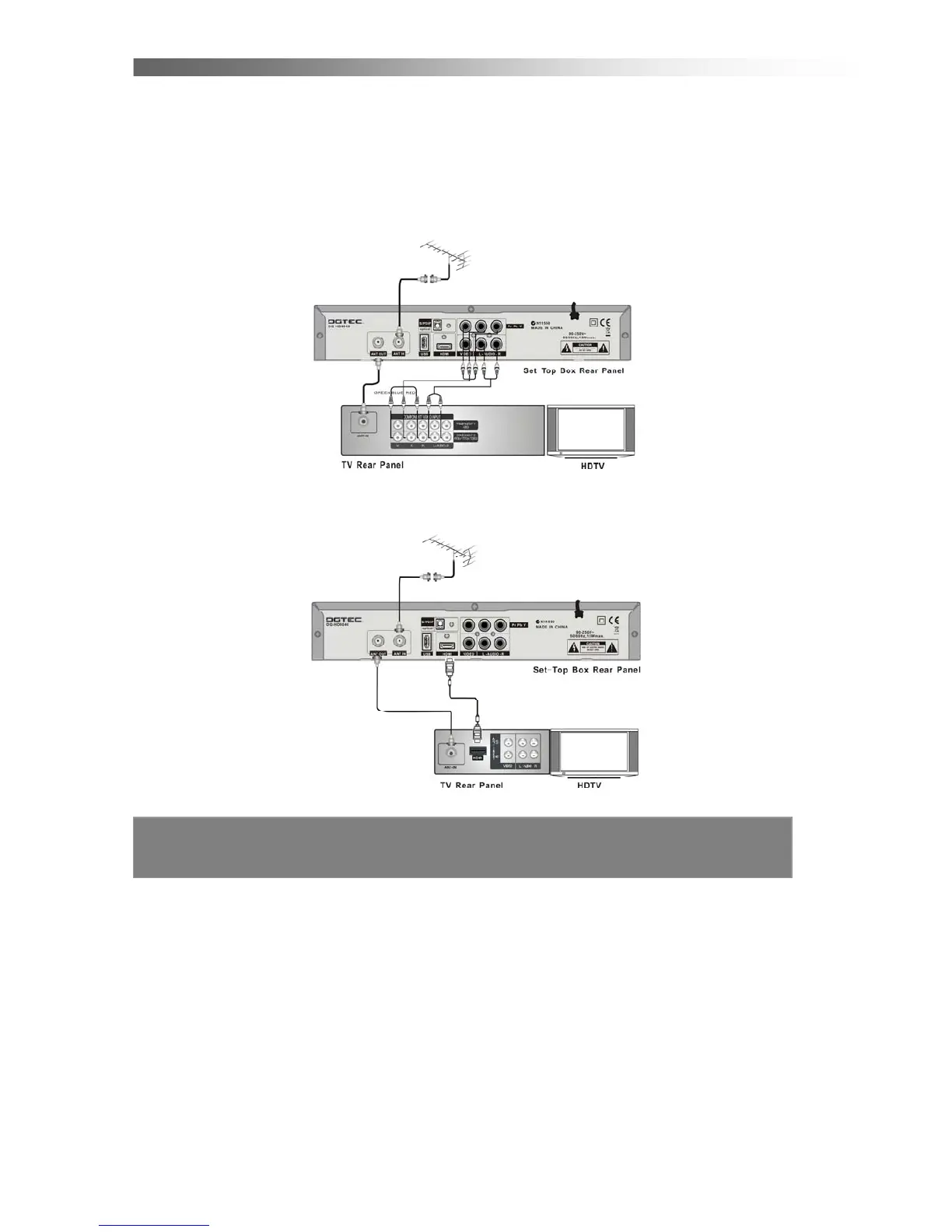
1.6 Connecting to Equipment
1. Connect your TV antenna cable to the “ANT IN” jack on the back of the STB using
coaxial RF cable.
YPbPr connection(High Definition connection)
2. Connect the YPbPr out connectors and AUDIO L/R out connectors on the back of
the STB to the COMPONENT IN on your television using RCA-type cables.
HDMI (High Definition connection)
3. Connect the HDMI out connector on the STB to the HDTV using HDMI cable.



 To Next Page