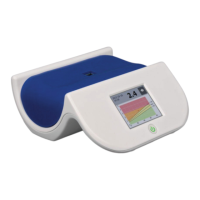
AGE Reader mu Instructions for use
User Manual
9
6.3.3 Performing a measurement
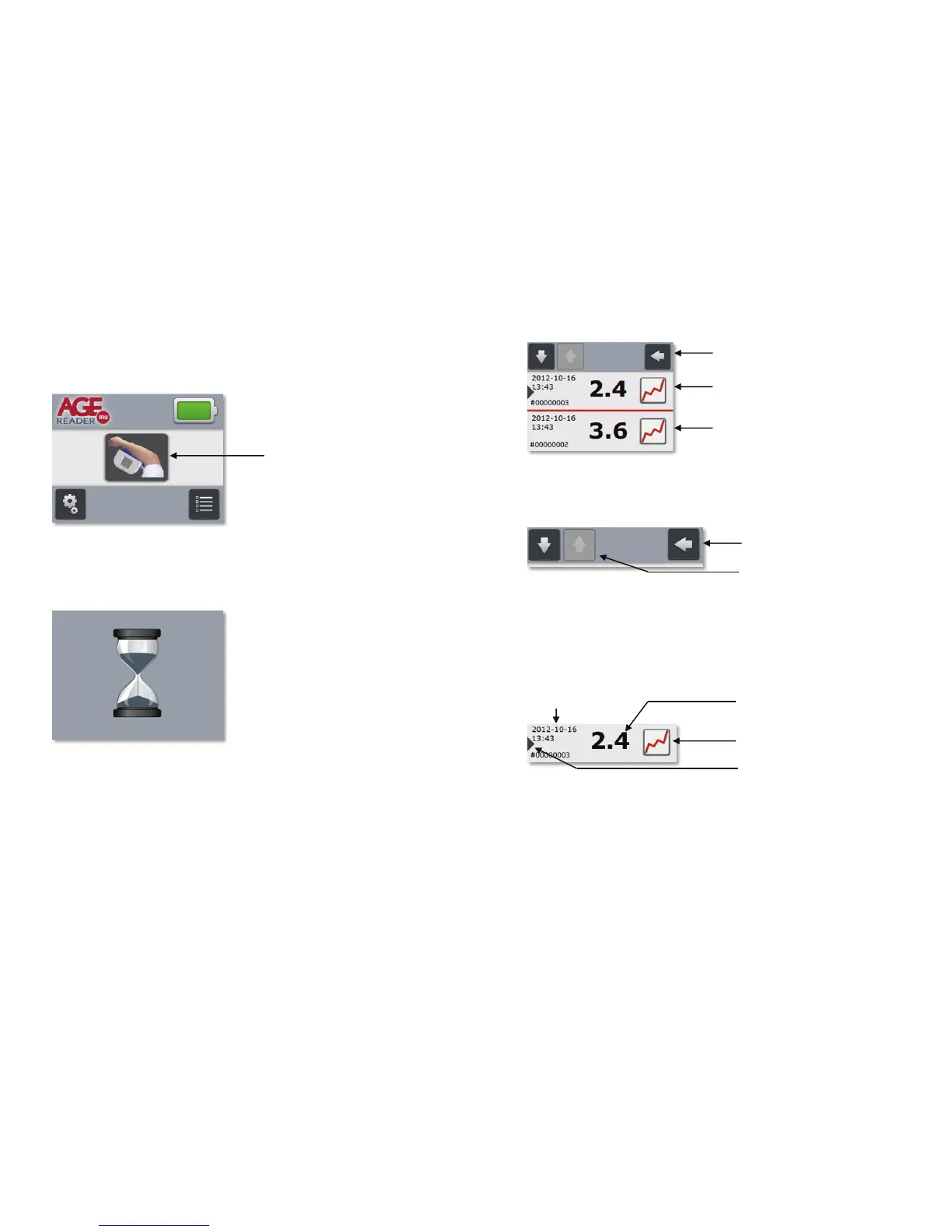
A new measurement is started from the Main screen by pressing the Measurement
button as indicated in the figure below.
Figure 7. Measurement button on Main screen
After pressing the Measurement button the Measurement progress screen will be
shown (figure 8). A measurement takes only a few seconds to complete.
Figure 8. Measurement progress screen
Upon a successful measurement the AGE Reader mu will advance to the
Measurement Results screen (figure 9). This screen will show the last
measurement at the top of the list of measurement results, which is marked with a
red dot to distinguish it from the older measurement results.
Start measurement button
AGE Reader mu Instructions for use
User Manual
10
Last measurement result
Figure 9. Measurement result screen
In order to properly describe the Measurement result screen each part is explained
separately, starting off with the Navigation bar.
Figure 10. Navigation bar
To leave the Measurement results screen and return to the Main screen press the
Return button. In order to navigate through the list of measurement results use the
Browse buttons located at the top-left of the screen. When reaching the top or
bottom of the list the Up button or Down button will be shown in inactive state (see
figure 10) for the Up button. The navigation bar remains visible at the top of the
screen at all times when browsing through the list.
Each measurement result is represented in the list as a row (figure 11).
Figure 11. One single measurement result
The AGE Reader measurement result is displayed at the centre of the row in large
font. The corresponding date and time of measurement are displayed at the top-left
using the date and time formats as configured in section 6.4 Settings screen.
The measurement results are listed in reverse order: the most recent measurement
result is always at the top of the list and the oldest measurement result is at the
bottom of the list. Put simply: browsing down the list is like going back in time. The
Last measurement indication is visible for the most recent measurement result.
Older measurement result
Navigation bar
Return button
Browse buttons
Graph button
Date & Time
AGE Reader
measurement result
Last measurement indication


 To Next Page