Diamond Shield Professional
Instruction Manual
Operation
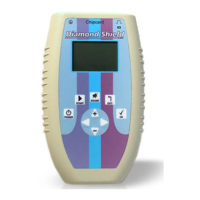
Switch On
For switching on the device please press briefly the POWER button.
Switch Off
Press the POWER button and hold it for about 1 second until the
device is turned off.
Turn off automatically
If the unit is not performing a frequency program and/or is not used
for 12 minutes, it will switch off automatically to save battery life.
Charge condition of the battery
The state of charge of the battery is displayed on the LED. If the
device is switched on, the LED flashes. When the battery is full, the
flashing frequency is slow. When the battery charge is low, the
flashing frequency is faster. If the battery is empty, a message
appears, and the device can no longer be used.
Activate / deactivate the loudspeaker
Press the SOUND button to switch the loudspeaker on or off. The
current state is then displayed briefly.


 To Next Page