Diamond Shield Professional
Instruction Manual
Operating options
Pressing the start button will stop the execution. Pressing the
start button again allows the execution to proceed.
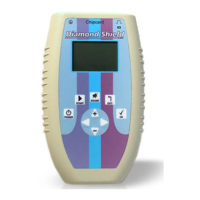
Intensity is set by using the arrow keys to move up and down
("+" - keys and "–").
Pressing the EXIT button cancels the execution.
Menu „Settings“
This menu is used to configure the device. The settings made here
are retained even after turning off or changing the battery.
Language: Select from English or German. The input is
done with the arrow keys left and right.
Contrast: Adjusts the contrast of the LCD display. The input
is done with the arrow keys left and right.
Const amps: enables or disables constant current control. If
you press the left and right arrow then the input is done. If
'NO' is selected, the intensity of all the frequency programs
(including those that are stored on the chip cards) is usually
set on the voltage and does not have a constant current
control.
Speaker: the tone pitch of the internal speaker. Use the
arrow keys left and right to choose 4 or 5 kHz.
HW Rev.: Displays the hardware version of the device.


 To Next Page